
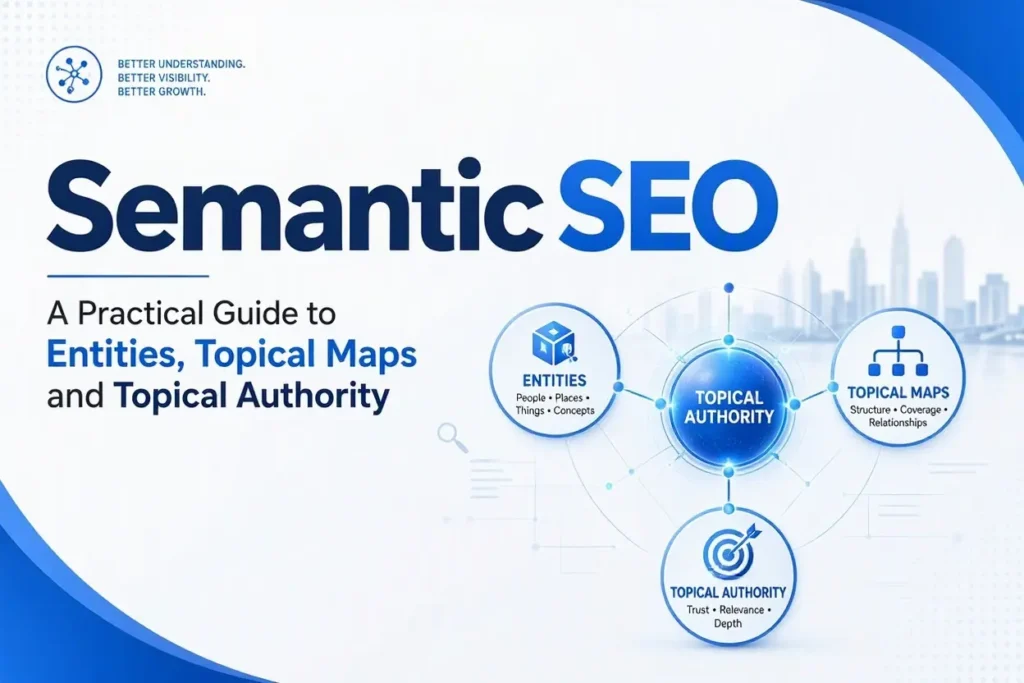
By Hridoy Ahmed | Last updated: October 25, 2026 | 18 min read
Short answer: Semantic SEO means writing about a topic, not just a keyword. You cover what people really need to know about one subject, match each page to one search intent, link related pages together and make it clear who you are. It is a working method, not a Google ranking factor, and it cannot guarantee rankings.
You search for “semantic SEO”, open five tabs and get five different answers. One says it is about LSI keywords. Another says it is a brand-new kind of SEO. This guide gives you the plain version: a real example, a step-by-step process, and honest notes about what nobody outside Google knows for sure.
Jump to: What it is | A simple example | Semantic SEO vs SEO | Google, AI and semantic search | Semantic keywords | 10-step process | WordPress tips | Automation and ChatGPT | Tools | Measuring | FAQ
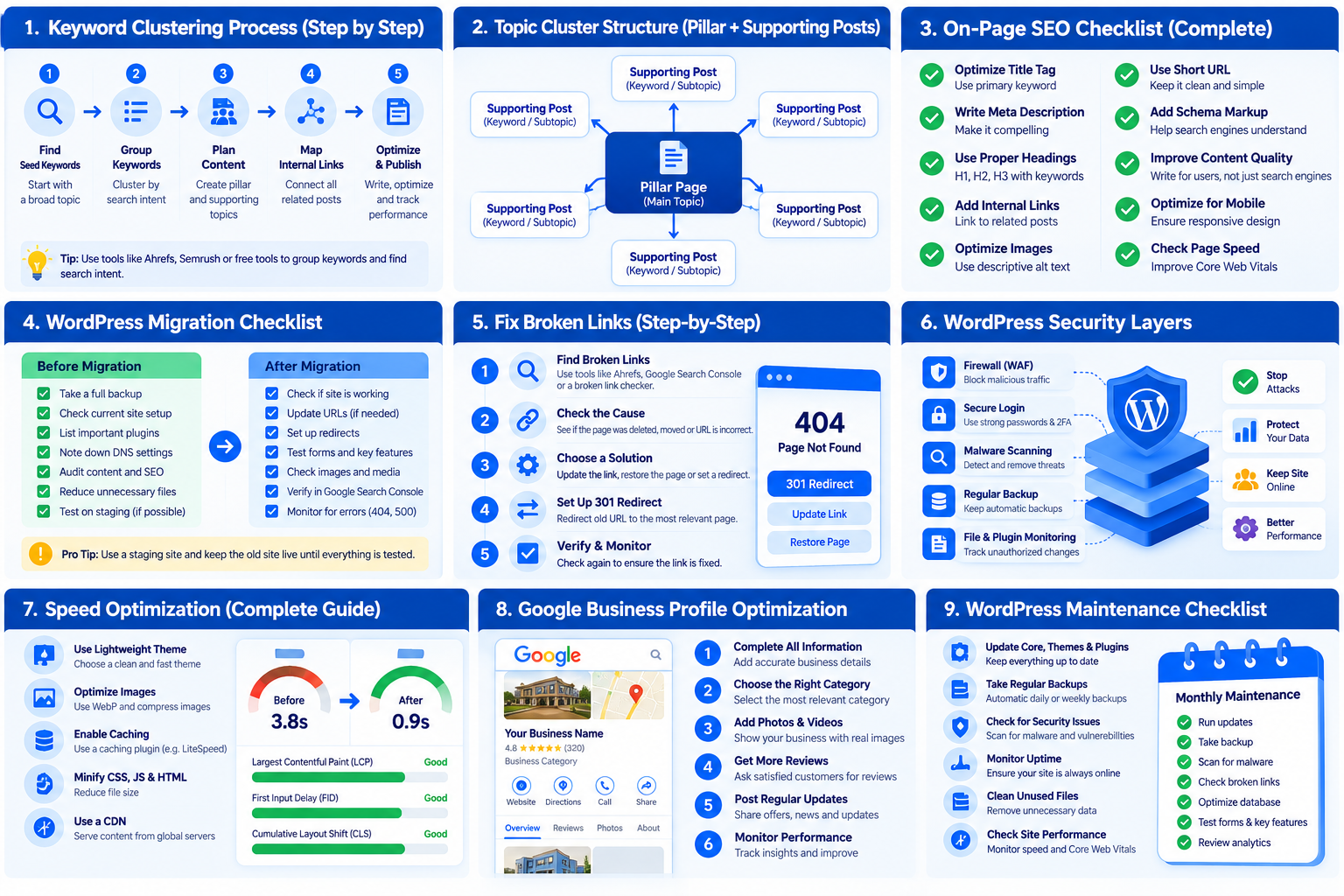
What is semantic SEO?
Semantic SEO is a way of planning content around meaning. Instead of asking “which phrase should this page contain?”, you ask “what does a person need to know about this topic, and which page answers each need?”
The idea is not new. In 2012 Google introduced its Knowledge Graph with the line “things, not strings”. A search for “taj mahal” can mean a monument, a musician or a casino, so Google tries to understand real-world things (entities) and how they connect. Semantic SEO is how a site owner works with that.
What it is not: a trick, a plugin or a guaranteed method. “Semantic SEO” and “topical authority” are terms from the SEO community. Google’s own documentation talks about helpful, people-first content, not about a topical authority score.
A quick test I use before writing any page: What is this page about? What will the reader still want to know? Where should they go next? If you can answer all three, you are already thinking semantically.
A simple semantic SEO example
Take a page about WordPress malware removal. This is an illustration, not a client result.
- Keyword-only version: repeats “WordPress malware removal” in the title, every heading and half the paragraphs. It says “we remove malware fast” and little else.
- Semantic version: explains what the problem is, the signs of infection, common causes (such as outdated plugins and weak passwords), the cleanup stages, what to do about Google warnings, how to stop it coming back and what affects the cost. It names the things readers expect to see, like backups, plugins, a firewall and Search Console. It links to separate guides for each deeper question.
The second page is not “more optimized” in a magic way. It simply answers more of what the reader came for, and it is easier for search engines and AI tools to understand.
For more real-world cases, see my guide to semantic search examples.
Semantic SEO vs traditional SEO
Semantic SEO is not a replacement for SEO. It is a way of doing the content and structure part of SEO. Here is how the thinking differs:
- Starting point. Traditional keyword SEO starts from a keyword list. Semantic SEO starts from the topic and what people need to know about it.
- Unit of work. Keyword SEO targets one phrase per page. Semantic SEO plans a network of pages and how they connect.
- Coverage. Keyword SEO covers what already has search volume. Semantic SEO also covers needed subtopics with little or no volume, because they complete the picture.
- Grouping. Keyword clustering groups queries that look alike (see how to cluster keywords). Semantic mapping decides which pages should exist, where they sit and how they link.
- Success measure. Keyword SEO watches the rank of a phrase. Semantic SEO watches coverage, indexing, impressions across a whole topic and conversions.
You still need keywords. Semantic SEO changes how you choose and use them. For a deeper comparison, read semantic SEO vs traditional SEO.
Google, AI and semantic search
Is Google a semantic search engine?
In the sense that Google tries to understand meaning and not only match words, yes. Google has talked publicly about language-understanding systems for years, such as Hummingbird in 2013 and BERT in 2019, plus the Knowledge Graph. But keywords, links and many other signals still count, and Google does not publish the full list.
Does AI use semantic search?
Often, yes. Many AI systems turn text into numbers (called embeddings) so that texts with similar meaning sit close together. That is how “search by meaning” works. How ChatGPT or Google’s AI features pick their sources is not fully public, so I keep claims careful. I wrote about this in Does ChatGPT use semantic search? and how to choose an AI model for semantic search.
Why it matters in 2026
- Google rewards helpful content. Its guidance on creating helpful, reliable, people-first content says SEO works best when applied to content made for people. Search Engine Journal reported that Google recently updated this page to focus more on the main content of a page, the part that does the job the page exists for.
- AI answers break questions into parts. Google’s page on AI features and your website says AI Overviews and AI Mode may use a “query fan-out” technique, which runs several related searches across subtopics. A site that covers the subtopics clearly has more chances to match. It does not guarantee a citation.
- Internal links help discovery. The same Google page lists making content easy to find through internal links as a technical requirement for these features.
Is SEO dead because of AI?
No. People still search, and AI answers still draw on web pages. What changes is that vague, copied or thin pages have fewer reasons to be chosen. The basics, like crawlable pages, helpful content and clear structure, still apply.
Key terms in plain words
- Entity: a clear “thing” such as a person, business, product, place or concept. Example: “WordPress malware removal”.
- Attribute: a property or question about the entity. For malware removal: symptoms, causes, cleanup steps, cost, prevention, how long it takes.
- Central entity: the one main thing your site is about. For this site, it is SEO and WordPress work done by one named expert.
- Search intent: why the person searches: to learn, compare, hire or find a place.
- Source context: who you are and why you are a fair source on the topic. The term comes from Koray Tuğberk Gübür’s school of semantic SEO. Read more in my guide to source context.
- Topical map: the full list of pages a site needs to cover a topic, with hierarchy, URLs, intents and links. Here is how to build one.
- Topical authority: an SEO-community idea that a site covering a topic deeply and in a connected way becomes a stronger source for it. One often-quoted definition, from this OnCrawl article by Koray Tuğberk Gübür, describes it as how much of the topic you cover and for how long. Treat it as a planning model, not a confirmed Google metric. See topical authority in SEO.
- EAV (Entity-Attribute-Value): a way to list facts: entity, attribute, value. “Espresso machine → pressure → 9 bar.” It pushes you to write specific facts. See my EAV guide.
- Cannibalization: two of your pages competing for the same intent.
Semantic keywords in brief
Semantic keywords are words and phrases linked to your topic by meaning: synonyms, related concepts, questions and the entities a reader expects. For “semantic SEO”, examples are search intent, topical map, internal linking, schema and knowledge graph.
For a full walkthrough, see my guide to finding and using semantic keywords.
How to find them:
- “People also ask” and “Related searches” on Google.
- The headings of the pages already ranking for your topic.
- Your own Search Console queries.
- Real questions from clients and readers.
How to use them: only where a human reader would expect them. Do not try to hit a fixed “density”. If you have heard of “LSI keywords”, read why that term is a myth and what to use instead. To check whether a page misses important entities, see entity coverage in SEO and NLP SEO.
How many types of keywords are there?
There is no official number. Some sites list 10, some list 16, because they split the same ideas in different ways. The simple version:
- By intent: informational, navigational, commercial and transactional.
- By length: short-tail, mid-tail and long-tail.
- By role on a page: primary, secondary and semantic (related).
- By audience or place: branded, non-branded and local.
- By timing: evergreen and seasonal.
The 10-step process
Step 1. Define the central entity and your source context
Write one sentence: “This site is about [entity], for [audience], from the angle of [your experience].” Everything you publish should connect to it. A site about “everything marketing” has no center. A site about WordPress security and SEO for small business owners does. Then write your proof: years of work, real projects, real methods. Only claim what you can show.
Step 2. List the attributes of the entity
Make a list: entity, attribute, value. For “WordPress malware removal” you might list signs of infection, causes, how to check safely, cleanup stages, Google warnings, prevention, backups, cost factors and when to call a professional. Each attribute can become a section or a page. Add the related entities your reader expects: backup, plugin, firewall, Search Console, SSL.
Step 3. Study the real search results
Search your main queries. Note what types of pages rank (guides, tools, service pages, forums), what questions repeat in “People also ask” and which subtopics every top page covers. This is how you check intent. If the results are all service pages, a blog post will struggle. If they are all guides, a sales page will struggle.
Step 4. Build the topical map
Group your attributes into three levels:
- Pillar: the main page for a big subtopic.
- Cluster: pages that cover one question or intent in depth.
- Supporting: short, specific pages that close gaps or answer edge questions.
Many practitioners also separate the core section (pages that bring revenue or define your offer) from the outer section (broader, supporting information). Plan URLs so the hierarchy is visible, for example /services/service-name/ for the commercial page and /post-name/ for guides. For every page write: intent, one primary keyword, parent page, internal links in and out, and the page’s job (inform, compare or convert).
Step 5. Remove conflicts before you write
Check each pair of pages: do they answer the same question for the same intent? If yes, merge them or change one. I keep a simple sheet with page, primary keyword, intent and publish date.
Step 6. Write a brief for each page
A good brief lists the question the page answers, the direct answer in two or three sentences, the heading outline, the entities and attributes to cover, questions to use as headings, the examples or proof you will add and the links to place.
Step 7. Write answer-first, in plain language
Put the direct answer at the top. Then explain. Use short sentences, clear headings and facts. Add what only you can add: your own experience, screenshots, mistakes you have seen. Google’s guidance asks whether content shows first-hand experience and goes beyond what is already out there. Copying competitors’ headings and adding synonyms does not do this.
Step 8. Connect pages with internal links
- Every guide links to its service or pillar page naturally.
- The pillar page links down to its important cluster pages.
- Cluster pages link to one or two close siblings.
- Use descriptive anchor text. Say what the page is about. Never “click here”.
- Link only where topics are truly related.
Step 9. Make the entity clear with structured data and trust pages
A real About page, a clear author, Person or Organization schema that matches the visible text and consistent profiles. More in the schema section below.
Step 10. Publish in a smart order, then audit
Publish the pillar and the pages closest to your core offer first, then the supporting pages. After a few weeks, check Search Console, find pages stuck as “Crawled – currently not indexed” and improve them (see what that status means). Update old posts. Merge weak overlapping pages.
Example: a small topical map from this site
The central entity is WordPress security. The commercial pillar is the WordPress security and malware removal service. The supporting guides each take one intent:
- How to know if your WordPress site is hacked (recognize the problem)
- How to remove the “This site may be hacked” warning (a specific Google problem)
- WordPress security checklist (prevention)
- Website security headers explained (a technical attribute)
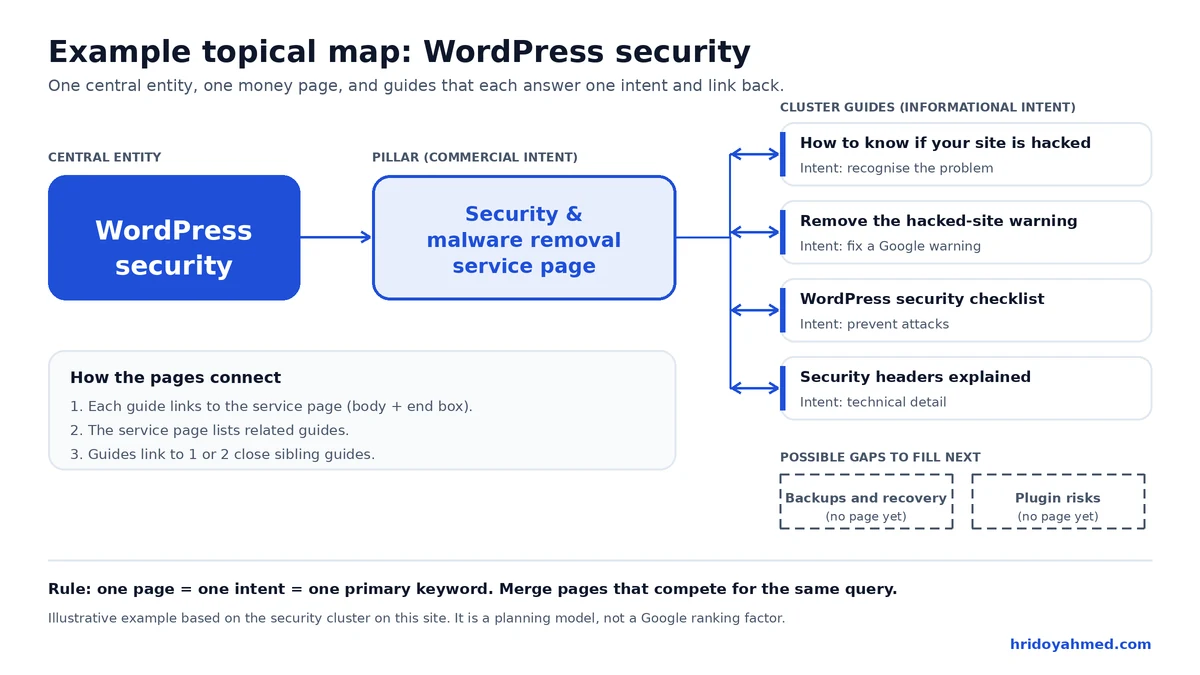
Each page has one intent, links to the service page and links to a close sibling. This is a small network. A larger map would add backups, firewalls, plugin risks and recovery steps. This site is still growing, so I make no claim about results from this structure.
A page-level checklist
- One topic, one intent, one primary keyword
- Direct answer in the first 2 or 3 sentences
- Headings that match real questions
- Main attributes covered, with specific facts
- Related entities named naturally
- First-hand experience or proof added
- Links to the parent page and one or two siblings
- Clear author and last updated date
- Schema that matches the visible content
Google warns against content written mainly to chase rankings, so do not stuff related terms into the text.
Schema and entity identity
Structured data does not make a page rank by itself. It gives search engines a clear, machine-readable description of what a page is and who made it. Useful basics:
- Article schema for guides.
- Service schema on service pages.
- Person or Organization schema for the owner, with the same name, description and links as on your About page and profiles.
- FAQPage only when the questions and answers are visible on the page.
- LocalBusiness for local pages.
Test your markup before publishing. My guide on how to add schema markup to a WordPress page shows the steps. Make sure your SEO plugin and your theme do not output the same schema twice. Keep your name, bio and links the same across your site, social profiles and directories. For more on AI answers, read my AI search readiness checklist and my guide to entity SEO.
What is a semantic web example?
The semantic web is the idea of putting data on the web in a form machines can understand, not only humans. Real examples are Schema.org markup (created by Google, Bing, Yahoo and Yandex), Wikidata and linked open data such as DBpedia. They store facts as simple statements: thing, property, value. Semantic SEO borrows the same way of thinking.
Semantic SEO on WordPress
If your site runs on WordPress, these are the practical steps (the full version is in my semantic SEO for WordPress guide):
- Keep categories few and clear. Each category should match a real topic area. Avoid tags that hold only one post.
- Use short, readable URLs. If you change the URL of an indexed page, add a redirect.
- Link on purpose. Add links inside the text of related posts, not only a “related posts” widget.
- Check your schema. Let one plugin (such as Rank Math) output Article and Person data and make sure your theme does not add a second copy.
- Mark your pillar page. Rank Math has a “Pillar Content” setting. It helps the plugin with its own link suggestions and checks. It is not a Google signal.
- Keep it fast. A fast, mobile-friendly page is easier to crawl and nicer to read.
Need a hand with the technical side? See my SEO and technical SEO services.
Semantic SEO and ChatGPT: what to hand to AI
You can automate the list work, not the decisions. My rule is simple: let software do the boring parts and keep the judgment human. I explain the full workflow in semantic SEO automation: what to automate and what not.
Good to automate or hand to AI as a first draft:
- Grouping a long keyword list into topics.
- Brainstorming subtopics and questions.
- Drafting briefs and outlines.
- Suggesting internal links.
- Drafting schema and spotting missing fields.
- Pulling Search Console data into a report.
Keep human:
- Checking intent against the real search results.
- Deciding which pages to merge or remove.
- Fact-checking every claim.
- Adding your experience, examples and screenshots.
So, can ChatGPT do SEO? It can help with many tasks, but it does not see your Search Console unless you give it the data, it can state wrong facts with confidence and it does not know your business the way you do. Treat it as a fast assistant and check its work. Google’s guidance on AI-generated content says the output still needs to be useful and accurate.
The four types of SEO
The most common split is on-page SEO (content, titles, headings), off-page SEO (links and mentions from other sites), technical SEO (crawling, indexing, speed) and local SEO (Google Maps and local searches). Semantic SEO is not a fifth type. It is an approach that shapes how you plan on-page content and internal links.
Tools you can use
Which tools are “best” depends on your budget and site size. These are widely used, and most small sites can start with the free ones.
Free and basic:
- Google Search Console for queries, indexing and performance by page.
- Bing Webmaster Tools for Bing data and sitemap submission.
- Google’s search results (including “People also ask”) for intent research.
- A schema testing tool to validate structured data.
- My free SEO Analyzer and Meta Tag Generator for page-level checks.
- A plain spreadsheet for your keyword map and topical map.
Paid suites and crawlers: Ahrefs and Semrush for keyword and link data, and Screaming Frog for crawling a site. Check current plans and prices on their sites.
Tools built around the semantic SEO method:
- SemanticOS by Ayon Chy (Ayonchy) is a paid tool that, according to its website, turns a domain into a topical map (pillar, cluster and supporting pages with intents, URL paths and internal links), writes entity-based briefs and includes analysis modules such as entity drift, cannibalization checks and Search Console sync. Its site says you use your own Claude API key and that it follows an entity-first framework inspired by Koray Tuğberk Gübür’s work. These are the vendor’s own descriptions. Test it with a trial on a small project before you rely on it.
- Ayonchy SEO Expert (Chrome extension) says it extracts entities from a Google results page and helps plan a topical map and content structure from that data.
- SEO Audit by Ayonchy is listed as a quick page check for title length, meta description, headings, image alt text, schema presence and links.
Whatever you use, a tool gives you a draft. Its output is a plan, not proof that the plan will rank.
How to measure results
- Indexing: are the new pages indexed? Check the Pages report in Search Console.
- Coverage: in the Performance report, filter by a folder or a group of queries on one topic and watch impressions and clicks as a group.
- Cannibalization: if two pages swap positions for one query, merge or separate them.
- Engagement and leads: track clicks from guides to service pages and enquiries.
- Time: no one can give a fixed number of days. Results depend on your site, niche and how consistently you publish. Be careful with tools or case studies that quote traffic gains, and check how those numbers were collected.
Common mistakes
- Publishing many thin pages just to “cover” a map
- Two pages on the same intent
- Stuffing related terms and entities into text
- Copying the structure of top-ranking pages without adding anything new
- Ignoring technical basics such as indexing, speed and mobile layout
- Using AI for long text without fact-checking
- Adding schema that does not match the visible page
- Mixing blog and service intent on one page
Quick start: your first week
- Write your central entity and source context in one sentence.
- List 15 to 30 attributes and questions about it.
- Check the real search results for the intent of each.
- Group into pillar, cluster and supporting pages.
- Remove overlaps. Assign one primary keyword per page.
- Write briefs, then answer-first pages with your own experience.
- Link parent, child and sibling pages with clear anchors.
- Add schema and author details. Test them.
- Publish core pages first. Check indexing weekly.
- Review every 3 to 6 months. Merge, update or remove weak pages.
Sources and further reading
- Google, Introducing the Knowledge Graph: things, not strings (2012)
- Google Search Central, Creating helpful, reliable, people-first content
- Google Search Central, AI features and your website
- Search Engine Journal, Google Changed Its Helpful Content Guidelines To Emphasize Good Main Content
- StatCounter Global Stats, Search engine market share (September 2026)
- Koray Tuğberk Gübür, How to earn more traffic with semantic SEO (OnCrawl) and the Topical Authority case study. These are self-published methods and case studies, not Google statements.
- Authority Hacker, Decoding Topical Authority with Koray Tuğberk Gübür (interview summary)
- Ayonchy, SemanticOS and the Ayonchy SEO Expert extension (vendor descriptions)
FAQ
What is semantic SEO in one sentence?
It is planning content around topics, entities and search intent, so a site covers a subject completely and its pages connect clearly.
What is a semantic SEO example?
A page on WordPress malware removal that covers signs, causes, cleanup steps, Google warnings, prevention and cost, and links to a guide for each, instead of repeating one keyword. See the full example above.
What is the difference between SEO and semantic SEO?
SEO is the whole practice of helping people find your site. Semantic SEO is one approach inside it: planning content by meaning, topic and intent instead of one keyword per page.
What is semantic SEO content?
It is content that fully answers a topic. It states the direct answer first, covers the main attributes and related questions, names the expected entities and links to related pages.
What are four types of SEO?
On-page, off-page, technical and local SEO are the most common four. Semantic SEO is an approach that mainly shapes on-page planning.
Can ChatGPT do SEO?
It can help with outlines, keyword grouping, brainstorming and schema drafts. It can also state wrong facts, so a person must check the work and add real experience.
Can you give me an example of semantic search?
Searching “cheap place to sleep in Paris” and getting hostel pages, even when those pages never use the word “cheap”. The engine matches meaning, not only words. More cases in my semantic search examples.
Is Google a semantic search?
Google uses systems that try to understand meaning, such as the Knowledge Graph and BERT. It also still relies on keywords, links and other signals.
What are the 5 best SEO tools?
It depends on your needs. A common starting set is Google Search Console, Bing Webmaster Tools, Screaming Frog, Ahrefs and Semrush. The first two are free.
Is SEO dead now with AI?
No. People still search, and AI answers still use web pages. Clear, helpful, well-structured content matters more, not less.
What are semantic keywords in SEO?
They are words and phrases related to your topic by meaning, such as synonyms, questions and related entities. Use them where a reader would expect them.
Can you give me an example of semantic AI?
A support chatbot that finds the right help article even when the customer’s words do not match the article title. It does this by comparing meaning, often with embeddings.
What are the 16 types of SEO keywords?
There is no official list of 16. Different sites split keywords by intent, length, role, audience and timing. See the simple grouping in the semantic keywords section.
Does AI use semantic search?
Often yes, through embeddings that capture meaning. How specific products such as ChatGPT or Google AI Mode choose sources is not fully public.
What are the 3 most popular search engines?
By StatCounter’s September 2026 worldwide figures, Google leads with about 90%, then Bing at about 5.3% and Yahoo at about 1.4%. Numbers change by month and country.
What is a semantic web example?
Schema.org markup, Wikidata and DBpedia. They publish facts in a form machines can read and connect.
Is semantic SEO a Google ranking factor?
No. Google does not list it as one. It is a working method that fits Google’s stated goals: helpful content, clear structure and an understanding of entities.
Is topical authority real?
It is a widely used SEO model, but not a metric Google publishes. Use it to plan coverage and quality, and judge it by your own Search Console data.
Do I still need keyword research?
Yes. It shows demand and the words people use. Semantic SEO adds the entity and attribute view.
How many pages do I need for a topical map?
There is no set number. A small service business may need a pillar page and 10 to 30 supporting pages. Quality and clear intent matter more than count.
How long does semantic SEO take to work?
No reliable fixed time exists. It depends on your site’s age, niche, content quality and how consistently you publish.
Is semantic SEO useful for local businesses?
Yes. A local site can map its service, area and trust pages the same way and keep its name, address and phone details consistent. See my Google Business Profile guide.
Want this applied to your site? I review your pages, map your keywords and entities and fix the structure that holds your content back. Curious what such a project delivers? Read what a semantic SEO project includes. See my SEO and technical SEO services.
About the author: Hridoy Ahmed is an SEO specialist and WordPress security expert based in Dhaka, Bangladesh. He has 8+ years of experience and works with clients worldwide.
Related guides
- How to Build a Topical Map: A Step-by-Step Guide
- Topical Authority in SEO: What It Is and How to Build It
- Entity SEO: How to Help Search and AI Understand Your Brand
- Entity-Attribute-Value (EAV) in SEO: How to Write More Specific Content
- Source Context in SEO: Who You Are and Why You Are a Fair Source
- Semantic Search Examples: How Search Understands Meaning
- Does ChatGPT Use Semantic Search? What Is Known and What Is Not
- Entity Coverage in SEO: How to Check If Your Page Covers the Topic
- NLP SEO: How to Write Content That Search Engines Understand
- LSI Keywords: Do They Exist? What to Use Instead
- How to Cluster Keywords: A Step-by-Step Guide
- Is Your Page Ready for AI Search? A Simple Checklist