
By Hridoy Ahmed | Last updated: October 2026 | 9 min read
Short answer: A topical map is a plan of every page a site needs to cover one topic, with each page’s intent, keyword, parent page and links. To build one, define your central topic, list what people need to know about it, check the real search results, group the list into pillar, cluster and supporting pages, and record each page in a sheet. It is a plan, not proof that pages will rank.
In this guide
- What a topical map is
- 8 steps to build one
- What to put in your sheet
- A small example
- Common mistakes
- FAQ
What a topical map is
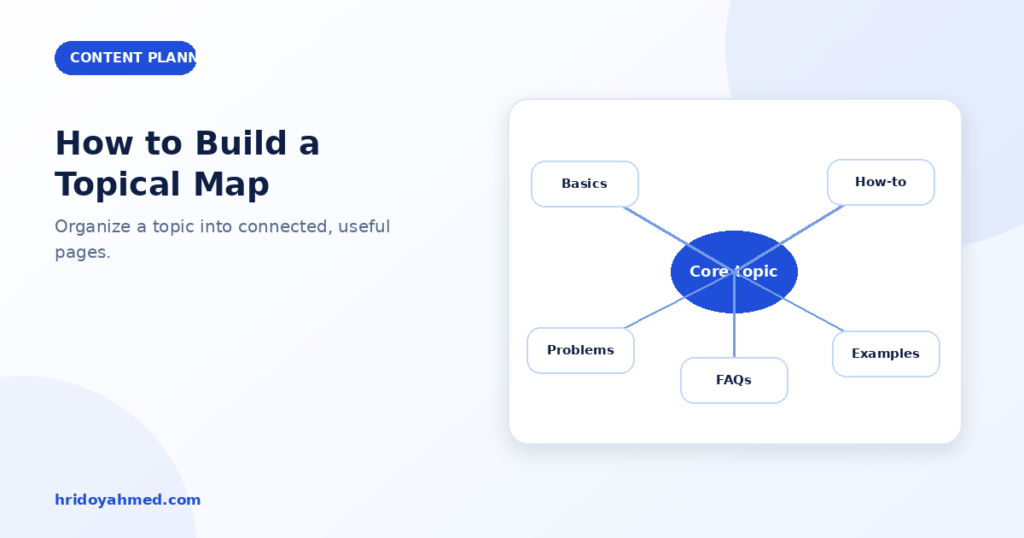
A topical map is a blueprint for your content. It shows the pages you need, how they relate, and how they link. It starts from a central topic, such as “WordPress security”, and branches into the subtopics, questions and decisions people have.
It is a working document. You will change it as you learn from search results and from your own data. For the bigger method, see my semantic SEO guide.
8 steps to build one
Step 1: Define your central topic
Write one sentence about what your site is about, for whom, and from what angle. Everything on the map should connect to it.
Step 2: List the attributes and questions
Write everything people need to know. For “WordPress malware removal”, that could be signs of infection, causes, safe checks, cleanup stages, Google warnings, prevention, backups, costs and when to call a professional. Use real customer questions, Search Console queries and “People also ask”.
Step 3: Check the real search results
For each item, search it. See what kinds of pages rank: guides, service pages, tools or forums. This tells you the intent. If the results are all service pages, a blog post will struggle. See search intent in SEO.
Step 4: Separate the core from the outer topics
Core pages bring revenue or define your offer. Outer pages are broader, supporting information. Plan the core first.
Step 5: Group into pillar, cluster and supporting pages
- Pillar: the main page for a big subtopic. For a service, this is often the service page.
- Cluster: pages that answer one question or intent in depth.
- Supporting: short, specific pages that fill gaps.
If you use keyword grouping to help, read how to cluster keywords. Grouping similar keywords is not the same as deciding which pages should exist.
Step 6: Give every page one intent and one keyword
Check each pair of pages. If two answer the same question for the same intent, merge them or change one. See keyword cannibalization: how to find and fix it.
Step 7: Plan the URLs and links
Choose clear URLs so the structure is easy to see, such as /services/service-name/ for the commercial page and /post-name/ for guides. For each page, note which pages link to it and which it links to. See internal linking for topic clusters.
Step 8: Prioritize and publish in order
Publish the pillar and the pages closest to your offer first. Then the supporting pages. Write a brief for each page before writing. See how to plan an SEO content brief.
If you want an expert to build the map with you, see my SEO and technical SEO service.
What to put in your sheet
A simple spreadsheet is enough. Use one row per page with these columns:
- Page title and URL
- Type: pillar, cluster or supporting
- Parent page
- Search intent: learn, compare, hire or find
- Primary keyword (one only)
- Internal links in and out
- Status: idea, draft, published, needs update
- Publish and last updated dates
A small example
Here is a small map for a “WordPress security” topic, in the same structure I use on this site:
- Pillar (service page): WordPress security and malware removal
- Cluster, recognize the problem: how to know if your WordPress site is hacked
- Cluster, prevention: WordPress security checklist
- Cluster, login protection: WordPress two-factor authentication
- Supporting, technical: WordPress firewall (WAF)
Each page has one intent, links to the pillar and links to a close sibling. I make no claim about results from this structure.
Common mistakes
- Building a map from keywords alone, without checking the real search results
- Planning hundreds of pages and publishing thin ones to fill it
- Two pages for the same intent
- Forgetting the internal links
- Never updating the map after publishing
- Using an AI-made map without checking it
FAQ
How big should a topical map be?
It depends on the topic. A small business may need a pillar page and 10 to 30 supporting pages. Start with the core pages.
Can AI build a topical map for me?
It can create a draft. You still need to check intent against real results, remove overlaps and fact-check any text.
Do I need a paid tool?
No. A spreadsheet, Search Console and the search results are enough for a small site.
How often should I update it?
Review it every three to six months. Add new questions, merge overlaps and mark what needs updating.
Want a topical map built for your site? I research your topic, check the intent and plan the pages and links with you. See my SEO and technical SEO service.
About the author: Hridoy Ahmed is an SEO specialist and WordPress security expert based in Dhaka, Bangladesh. He has 8+ years of experience and works with clients worldwide.
Related guides
- Topical Authority in SEO: What It Is and How to Build It
- SEO Clusters: The Complete Guide to Building a Smarter SEO Strategy
- Content Gap Analysis: How to Find What Your Site Is Missing
Related reading: new to the idea? Start with what topical authority is. To group your pages after the map is ready, use the SEO clusters guide.