
By Hridoy Ahmed | Last updated: October 26, 2026 | 14 min read
Short answer: To optimize for AI search (also spelled “optimise”), do good SEO and publish content that is useful, original and easy to read. Google’s own guide says that for Google Search, optimizing for generative AI is “still SEO”. Make sure your pages are indexed and crawlable, answer questions clearly, add real first-hand knowledge and measure results in Search Console. Nobody can guarantee that an AI tool will cite your site.
In this guide
- What is AI search optimization?
- How AI search differs from SEO
- Main AI search tools
- What does Google say?
- 9 steps to optimize for AI search
- What you can ignore for Google
- 12-point AI search audit table
- 30-day action plan
- How to measure it
- Common mistakes
- FAQ
What is AI search optimization?
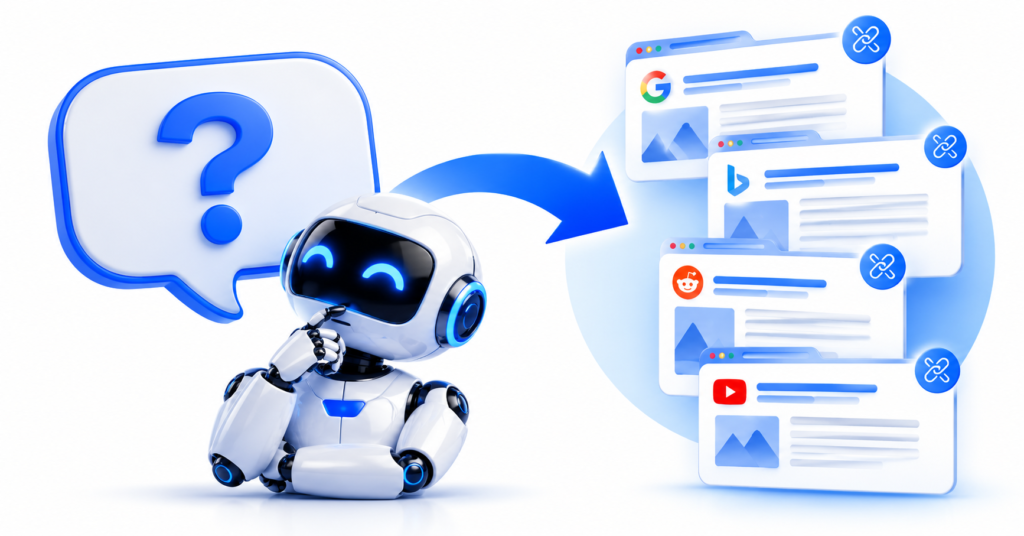
AI search optimization is the work of making your website easy for AI search tools to find, understand and use when they write an answer. AI search means tools that read several web pages and then write one answer. Examples are Google AI Overviews and AI Mode, ChatGPT, Gemini, Perplexity and Microsoft Copilot.
You will see short names for the work around it. AEO means answer engine optimization: writing clear answers to real questions. GEO means generative engine optimization: making content easy for AI tools to understand and use. AIO can mean AI optimization, but it can also mean AI Overviews, so I avoid it. I explain the first two in my guides to what GEO is and answer engine optimization.
How is AI search different from SEO?
For Google, the answer is “not much”, because its AI features run on top of Google Search. The table shows where the experience differs for a site owner.
| Area | Classic SEO | AI search |
|---|---|---|
| What the user sees | A list of links | One written answer, with links to sources |
| How pages are found | Crawling and indexing | Same index for Google. Other tools use their own methods, which are not fully public |
| What you aim for | A high ranking and a click | Being used as a source, and a click from the answer |
| Query style | Short keywords | Longer, conversational questions, often broken into several searches |
| How you measure | Rankings, clicks, impressions | Search Console AI report for Google, referral traffic for others |
| Guarantees | None | None |
Main AI search tools
These are five widely used AI search experiences. I am not ranking them, because popularity changes and numbers differ by country.
| Tool | Owner | How to check your visibility |
|---|---|---|
| Google AI Overviews and AI Mode | Generative AI report in Search Console | |
| ChatGPT search | OpenAI | Referral traffic in your analytics, plus manual checks |
| Perplexity | Perplexity AI | Referral traffic in your analytics, plus manual checks |
| Gemini | Manual checks | |
| Microsoft Copilot | Microsoft | Bing Webmaster Tools and referral traffic |
Each tool has its own way of picking sources. I explain what is known and not known in how AI search tools choose sources.
What does Google say?
In May 2026 Google published Optimizing your website for generative AI features on Google Search. These are the points that matter most:
- The best practices for SEO still apply, because the AI features are rooted in Google’s core ranking and quality systems.
- The AI features use retrieval (finding pages in the Search index) and “query fan-out”, which means running several related searches to build an answer.
- Google calls AEO and GEO terms you may see, and says that optimizing for generative AI search is still SEO.
- To be shown, a page must be indexed and eligible to show a snippet. Google also says your site must be included in Search generative AI features in Search Console, so check that you have not excluded it.
- AI features can show images and video too. If you already follow Google’s image and video SEO guidance, you are already working on this.
- Unique, helpful, non-commodity content will likely matter more over time than anything else in the guide.
Google’s page on AI features and your website also says there are no special extra requirements to appear in AI Overviews and AI Mode. That is the answer to a common question: you do not need a secret technical setup.
This covers Google’s AI features. For ChatGPT, Claude, Perplexity and others, nobody outside those companies knows exactly how sources are chosen. For Google’s AI features in detail, see my guide to Google AI Overviews and AI Mode.
9 steps to optimize for AI search
Step 1: Make sure your key pages are indexed
Check your important pages in Google Search Console. Fix blocked, noindexed or broken pages first. My technical SEO checklist for WordPress covers the basics. If you want expert help with this and the steps below, see my AI search optimization service.
Step 2: Create non-commodity content
Commodity content repeats common knowledge that could come from anyone, like “7 tips for beginners”. Non-commodity content brings something only you can add: first-hand experience, real examples, your own screenshots, mistakes you have seen. Do not just recycle what is already online. Here is a quick comparison. These lines are an illustration, not a client result.
| Commodity (anyone could write it) | Non-commodity (adds something) |
|---|---|
| “Keep your plugins updated for security.” | “On hacked sites I clean, the entry point is often a plugin that was not updated for months. Here is how I check for it.” |
| “Page speed is important for SEO.” | “Here is the before and after of a real page, and the three changes that made the difference.” |
| “Use clear headings.” | “I rewrote this heading from a vague label to a real question. Here is what changed in Search Console.” |
My guide to E-E-A-T shows how to show real experience.
Step 3: Put the answer first and organize the page
Answer the main question in the first two or three sentences, then explain. Use clear headings and short sections so people can follow the page. You do not need to cut content into tiny pieces. I show examples in my guide on how to structure content so AI assistants can cite it.
Step 4: Cover related questions, but do not mass-produce pages
Because of query fan-out, a topic is better served by a connected set of useful pages than by one thin page. But Google warns that creating a separate page for every variation of a query, mainly to manipulate rankings or AI answers, breaks its scaled content abuse policy. Build a small, useful cluster. My semantic SEO guide explains how.
Step 5: Make your brand and author clear
Use the same brand name, author name and short bio on your site and public profiles. Add an author box and a “last updated” date. I explain this in entity SEO.
Step 6: Decide which AI crawlers can reach you
Allowing or blocking AI crawlers is a business choice. Review your robots.txt on purpose. See AI crawlers and robots.txt, and run a page through my free AI Search Readiness Checker.
Step 7: Use schema that matches the page
Structured data is not required for AI search, and there is no special markup to add. It is still useful for rich results, and it must match the visible text. See schema markup for AI search.
Step 8: Build pages that people and AI agents can both use
Google’s guide includes early advice on AI agents, which are tools that act for a user, such as filling a form or booking a table. The simple takeaway is to use normal, clean HTML for people and agents alike: real links, real buttons and clearly labelled form fields. Do not hide key actions behind confusing scripts. I explain the idea in AI agents and agentic AI explained.
Step 9: Keep business details accurate
Google says AI responses can include local business and product information. If it fits your business, keep your Google Business Profile or Merchant Center details accurate.
What you can ignore for Google
Google’s guide lists several popular “hacks” it says you do not need for Google Search. Here is the short version:
| Tactic | What Google says | My advice |
|---|---|---|
| llms.txt and other special files | Not needed, and Google does not use them | Optional. Do not pay for it. See what llms.txt is |
| “Chunking” content into tiny pieces | Not required | Write for people with clear sections |
| Rewriting content “for AI” | Not required, AI understands synonyms and meaning | Write plainly and add real value |
| Seeking fake or inauthentic mentions | Unlikely to help, spam systems still apply | Earn real mentions instead |
| Over-focusing on structured data | Not required for AI features | Use schema that is accurate, then move on |
Other AI tools may behave differently, and Google’s guide is about Google. Do not pay for a tactic that nobody can explain.
12-point AI search audit table
Use this to check one important page. Each row says how to test it.
| # | Check | How to test it |
|---|---|---|
| 1 | The page is indexed | URL Inspection in Search Console |
| 2 | The page can show a snippet | Check for a nosnippet or restrictive max-snippet rule in the source |
| 3 | Site is included in AI features | Check the setting in Search Console |
| 4 | Crawlers are not blocked by mistake | Open yoursite.com/robots.txt and read it |
| 5 | Answer is in the first 2 or 3 sentences | Read the top of the page aloud |
| 6 | Headings match real questions | Compare with “People also ask” |
| 7 | Page has something original | Find one example, number or screenshot only you could add |
| 8 | Author and date are visible | Look at the top and bottom of the page |
| 9 | Internal links connect related pages | Count links in and out of the page |
| 10 | Schema matches visible text | Run a schema validator |
| 11 | Page loads fast on a phone | Test on a phone and in a speed tool |
| 12 | Business details are consistent | Compare your site, Google profile and directories |
30-day action plan
| Week | Focus | Tasks |
|---|---|---|
| 1 | Access | Check indexing, robots.txt, snippet rules and the AI setting in Search Console |
| 2 | Content | Pick your 3 most important pages. Move the answer to the top and add original proof |
| 3 | Structure | Fix headings, add internal links, check author box, schema and business details |
| 4 | Measure | Record a baseline in Search Console and analytics, then set a review date |
Do not expect results in 30 days. This plan gets the foundation right so later work counts.
How to measure it
Google has a Generative AI performance report in Search Console. It shows impressions from AI Overviews and AI Mode, by page, country, date and device. Google says it rolled this out to all websites worldwide as of August 31, 2026. For other AI tools, check the referral sources in your analytics where they show up. I explain both in how to measure AI search visibility.
Treat the numbers as a signal, not a score. Be careful with third-party tools that claim to know Google’s internal AI metrics. Google says no third-party tool has access to them.
Common mistakes
- Skipping SEO basics and jumping straight to “AI tricks”
- Publishing generic content that adds nothing new
- Making many thin pages for every query variation
- Buying fake mentions or spam profiles
- Adding schema that does not match the visible text
- Blocking or allowing AI crawlers without thinking about it
- Promising a client a citation in an AI tool
More in my list of AI search optimization mistakes.
FAQ
Do I need special optimization for Google AI Overviews?
No special markup or files are needed. Google says optimizing for generative AI search is still SEO. Your page must be indexed and eligible to show a snippet, and useful, original content matters most.
Is AI search optimization the same as SEO?
For Google, Google says yes, it is still SEO. For other AI tools, the work is similar, but how they choose sources is not public. Read my post on whether SEO is dead with AI.
What are AI search strategies?
For website owners, they are the habits that make a site easy to use as a source: indexed pages, clear answers, original content, accurate business details and measured results. In computer science, “search strategies” can also mean algorithms such as breadth-first or depth-first search, which is a different topic.
How do I optimise content for AI search?
Start each page with a direct answer, add details only you can give, use headings that match real questions and keep the page crawlable. Then check the page with the audit table above.
Can anyone guarantee that ChatGPT or Gemini will cite my site?
No. These tools decide what to cite, and the choice can change from one answer to the next. Anyone who guarantees a citation is guessing.
Should I add an llms.txt file?
It is optional. Google says its Search ignores llms.txt, so it will not help or harm your Google visibility. Other services may use it, but that is not proven.
What are the four types of SEO?
The most common four are on-page, off-page, technical and local SEO. AI search work touches all four, but it mainly builds on strong on-page and technical basics.
What are the 5 best AI tools?
It depends on the job. For general questions and writing, ChatGPT, Gemini, Claude, Perplexity and Microsoft Copilot are widely used. Test two or three on your own tasks before you choose.
Is ChatGPT AI or GenAI?
Both. ChatGPT is a generative AI tool, and generative AI is one type of artificial intelligence.
What are the 7 types of AI?
Commonly, they are grouped by ability (narrow, general and super AI) and by function (reactive machines, limited memory, theory of mind and self-aware AI). Today’s tools, including ChatGPT, are narrow AI.
What are the 5 techniques of AI?
There is no single official list. Commonly listed ones are machine learning, deep learning, natural language processing, computer vision and robotics.
Want a clear plan for your site? Work with me on AI search optimization. I will tell you honestly what helps and what is a guess.
About the author: Hridoy Ahmed is an SEO specialist and WordPress security expert based in Dhaka, Bangladesh. He has 8+ years of experience and works with clients worldwide.
Sources
- Google Search Central, Optimizing your website for generative AI features on Google Search
- Google Search Central Blog, A new resource for optimizing for generative AI in Google Search (May 15, 2026)
- Google Search Central, AI features and your website
Related guides
- What Is GEO and How Is It Different From SEO?
- Answer Engine Optimization (AEO): How to Write Answers Search and AI Engines Understand
- Is Your Page Ready for AI Search? A Simple Checklist
- Google AI Overviews and AI Mode: What Site Owners Should Know
- Featured Snippet vs Google AI Overview: Key Differences for SEO
- AI-Generated Content and SEO: What Google Says and How to Stay Safe