
By Hridoy Ahmed | Last updated: October 2026 | 8 min read
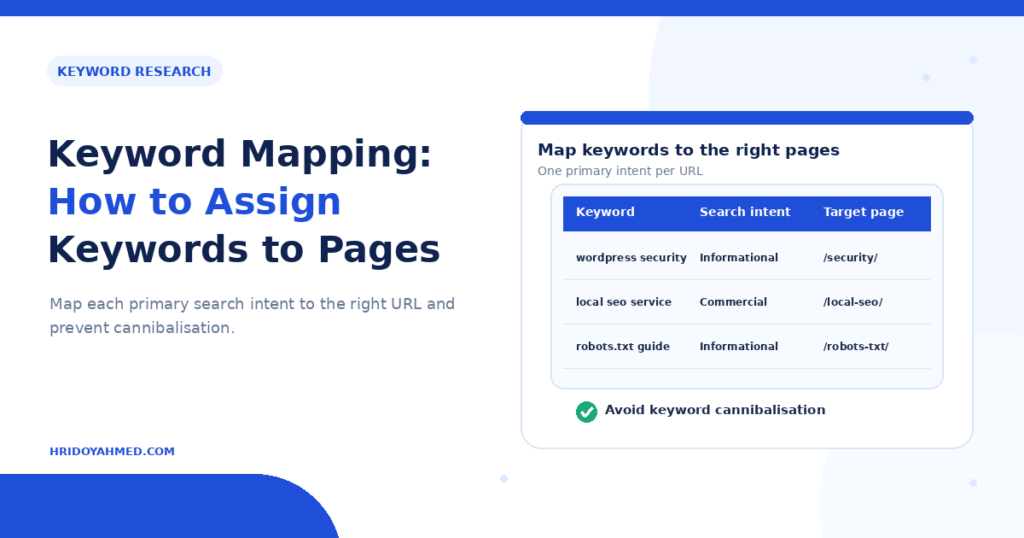
Short answer: Keyword mapping means giving every page on your site one primary keyword, plus a few supporting keywords, based on search intent. You list your pages in a sheet, assign each keyword to the best matching page, and mark gaps and overlaps. This prevents two pages from competing for the same search and shows you which pages to create, merge or improve.
In this guide
- Why keyword mapping matters
- The sheet: columns to use
- 6 steps to map keywords
- A simple example
- Common mistakes
- FAQ
Why keyword mapping matters
Without a map, sites drift. You write a new post on a topic that you already covered, two pages fight for the same phrase and a page ends up with no clear job. Google must then guess which page to show, and you lose control.
A keyword map gives each page one purpose. It also turns a messy list of keywords into a content plan. It works best after keyword research. Read how to do keyword research first if you have no list yet.
The sheet: columns to use
| Column | What to write |
|---|---|
| URL | The live page, or “new” if you must create it |
| Page type | Service page, blog post, category, product, home |
| Primary keyword | The one main phrase for this page |
| Supporting keywords | Close variations and related questions |
| Search intent | Learn, compare, buy or find a place |
| Search volume | A rough estimate, used with care |
| Action | Keep, rewrite, merge, create or redirect |
| Notes | Anything useful, such as a competing page |
A free spreadsheet is enough. Keep one row per page.
6 steps to map keywords
- List your pages. Export your URLs from your sitemap or a crawler and paste them into the sheet.
- Collect your keywords. Pull ideas from Google Search Console, your keyword tool and the results pages. Group similar phrases together. My guide on how to cluster keywords shows how.
- Check intent. Search each main keyword and look at what Google shows. If the results are guides, write a guide. If they are service pages, use a service page. Read my guide on search intent.
- Assign one primary keyword to each page. Pick the page whose purpose matches the intent best. Move close variations into the same page as supporting keywords.
- Mark gaps and overlaps. A keyword with no page needs a new page. Two pages with the same primary keyword need a decision: merge them, change the focus of one or redirect one. See how to fix keyword cannibalization.
- Use the map. Brief your writer from it, check it before you publish anything new and review it every few months. Page-wise keyword mapping is part of my SEO and technical SEO service.
Use search volume as a rough guide only. My article on search volume explains why.
A simple example
Here is an example for a made-up local bakery. The names are examples, not real data.
| URL | Primary keyword | Intent | Action |
|---|---|---|---|
| /wedding-cakes/ | wedding cakes in [city] | Buy | Keep |
| /blog/how-to-store-cake/ | how to store a cake overnight | Learn | Rewrite |
| /blog/cake-storage-tips/ | how to store a cake | Learn | Merge into the page above |
| new | gluten-free birthday cake | Buy | Create |
The map shows two storage posts that compete, so you merge them. It also shows a gap, so you create one new page.
Common mistakes
- Giving two pages the same primary keyword.
- Mapping by volume only and ignoring intent.
- Putting a blog keyword on a service page, or the reverse.
- Stuffing ten keywords into one page.
- Making the map once and never updating it.
- Forgetting internal links. A map tells you which pages should link to each other. See internal linking for topic clusters.
FAQ
What is keyword mapping in SEO?
It is the process of assigning each keyword to the page on your site that best answers it, so every page has one clear target.
How many keywords should each page have?
Give each page one primary keyword and a small group of closely related supporting keywords. Do not chase dozens.
Can two pages target the same keyword?
Avoid it. Two pages for one search usually compete. Merge them, or change the focus of one so it answers a different need.
What tool do I need for keyword mapping?
A spreadsheet is enough. Search Console and a keyword tool supply the data.
How often should I update the keyword map?
Update it whenever you add or remove a page, and review it every three to six months.
Want a keyword map built for your site? I research keywords by hand and map each one to a page. See my SEO and technical SEO service.
About the author: Hridoy Ahmed is an SEO specialist and WordPress security expert based in Dhaka, Bangladesh. He has 8+ years of experience and works with clients worldwide.