
By Hridoy Ahmed | Last updated: October 2026 | 8 min read
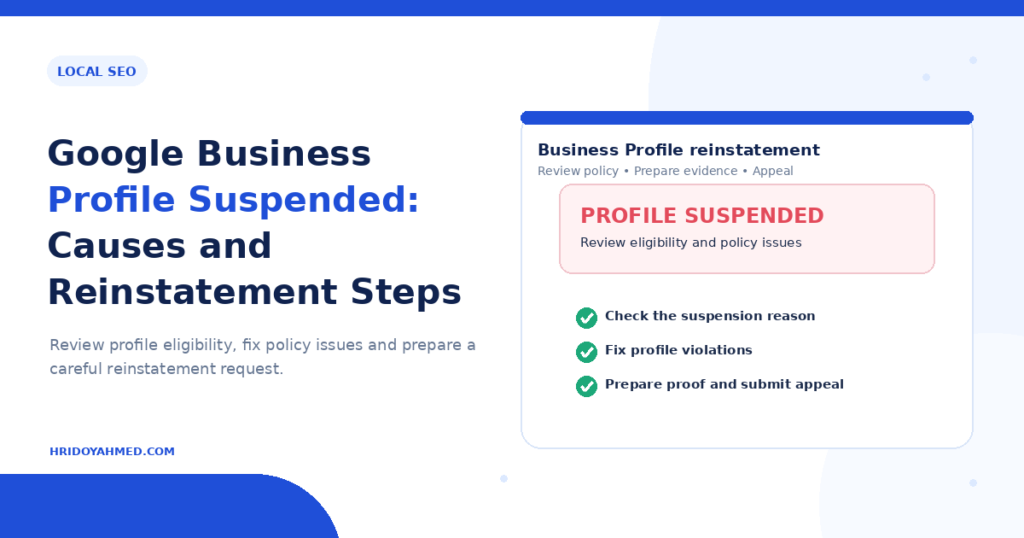
Short answer: A Google Business Profile gets suspended when Google believes it breaks the Business Profile guidelines, for example through a fake or ineligible address, a name stuffed with keywords or fake reviews. To fix it, find the likely cause, correct your profile details, gather proof that your business is real, and submit a reinstatement request through Google. Send one clean request, not many. Google does not promise a fixed timeline or a result.
In this guide
- Signs that your profile is suspended
- Common causes
- How to request reinstatement
- What proof to prepare
- While you wait and after
- How to avoid a suspension
- FAQ
Signs that your profile is suspended
- A suspension notice appears when you open your profile in the Business Profile manager.
- Your business no longer shows in Google Search or Maps, or you cannot edit it.
- You get an email from Google about a policy problem.
- You see a message about verification problems.
A missing profile is not always a suspension. Verification, duplicates or weak local signals can cause it too. See my guide on why a business does not show in Google Maps.
Common causes
- An ineligible business. Google expects a real business that meets customers in person or serves customers at their location. A site that only exists online does not qualify.
- A P.O. box, a virtual office or a shared address. Google does not accept these as a real business location in most cases.
- A business name with extra keywords. Your name must match how your business appears in the real world, such as on signs and invoices. Adding services or locations to the name breaks the guidelines.
- The wrong category or misleading details. Details that do not match your business or website raise flags.
- Duplicate profiles. More than one profile for the same business at one location can cause trouble.
- Fake, paid or filtered reviews. Reviews that you buy or write yourself, or that you only request from happy customers, break the review policies.
- Frequent big edits. Changing the name, address or category repeatedly, especially after verification, can trigger a review.
- Reports from others. Competitors or users can report a profile, and Google may review it.
Google does not always say which rule you broke. You may need to check your profile against the guidelines to find the issue.
How to request reinstatement
- Read the notice and the guidelines. Read the email or message and Google’s Business Profile guidelines. Look for any rule your profile might break.
- Fix the problem first. Correct the business name, category, address, hours and website. Make everything match your real business and your website.
- Remove violations you can control. Stop any review practice that breaks the policies. Close duplicate profiles properly.
- Gather your proof. See the next section.
- Submit the reinstatement request. Use the option in your profile or Google’s reinstatement form in Business Profile Help. Explain clearly what you fixed. Keep it short and factual.
- Do not create a new profile. A new profile for the same business can make things worse.
- Wait and watch your email. Answer any request from Google quickly. Do not send repeated requests.
What proof to prepare
Google may ask for evidence. Gather these items before you start:
- A business license or registration document that shows your name and address.
- A utility bill, lease or tax document with your business name and address.
- Clear photos of your storefront with signage, your interior and your work vehicles with branding, if you have them.
- Photos of your work area, tools or products.
- Your website, which should show the same name, address and phone number as your profile.
Use real documents only. Fake documents will make your situation worse.
While you wait and after
- Keep your name, address and phone consistent everywhere. Read my guide on NAP consistency.
- Do not edit key details while the request is under review, unless Google asks.
- If Google rejects the request, read the reason, fix what you can and ask again with better proof. Do not repeat the same request.
- Keep other channels active, such as your website, Bing Places and social profiles, so customers can still find you.
How to avoid a suspension
- Use your real business name, with no extra keywords.
- Use a real address where you can prove your business operates.
- Pick the most accurate primary category.
- Collect reviews honestly. See how to get more Google reviews the right way.
- Keep one profile per location.
- Make big changes carefully, and keep your documents ready.
- Follow my Google Business Profile optimization guide, or ask for help with my local SEO service.
FAQ
Why was my Google Business Profile suspended?
The most common reasons are an ineligible address or business model, a name with extra keywords, duplicates and review policy problems. Google does not always give the exact reason.
How long does reinstatement take?
The time varies, and Google does not promise a fixed timeline. Keep checking your email.
Can I create a new profile instead?
No. A new profile for the same business can look like spam and may be suspended too. Fix and appeal the original profile.
Will I lose my reviews?
If Google reinstates the profile, the reviews usually come back. If you cannot recover it, you may lose them. Act early and keep your documents ready.
Can anyone guarantee reinstatement?
No. Only Google decides. A good request with accurate details and real proof gives you the best chance.
Need help fixing and protecting your profile? I audit your profile and local signals by hand. See my local SEO service.
About the author: Hridoy Ahmed is an SEO specialist and WordPress security expert based in Dhaka, Bangladesh. He has 8+ years of experience and works with clients worldwide.