
By Hridoy Ahmed | Last updated: October 2026 | 7 min read
Short answer: If you find an unknown administrator in WordPress, treat it as a sign that someone else controls your site. Back up your site, change every admin password, reset your security keys to log everyone out, delete the unknown user, then look for the backdoor or weak point that allowed it. Deleting the user alone does not fix the problem.
In this guide
- What to do right away
- How an unknown admin appears
- How to remove the user safely
- How to find the entry point
- How to prevent it
- FAQ
What to do right away
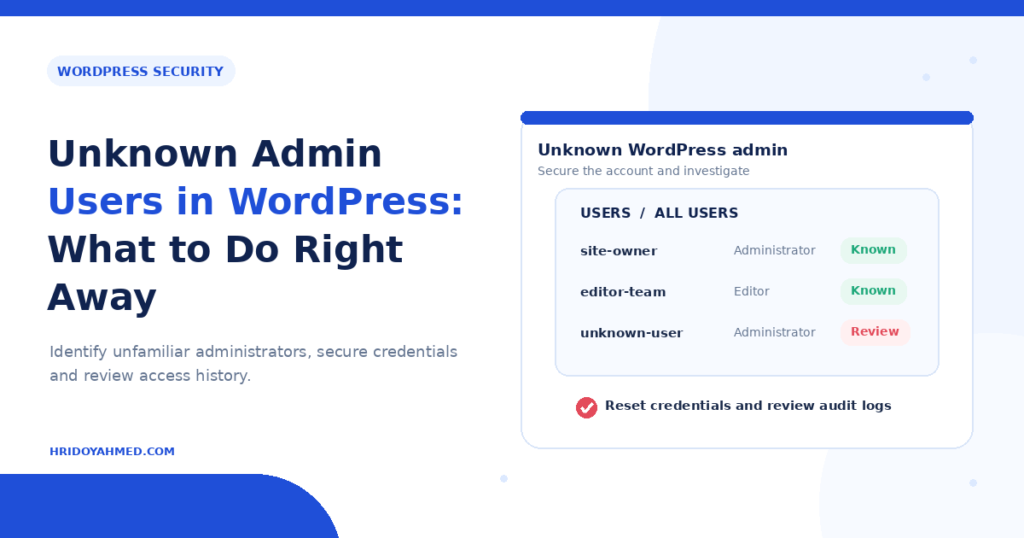
- Do not panic and do not delete anything yet. Take a screenshot of the user list. Note the username, email and role.
- Back up your files and database. Keep the copy for later review.
- Change your own password. Use a long, unique password. Change the passwords of every other real administrator too.
- Log everyone out. Generate new security keys and salts in wp-config.php. This forces every logged-in session, including the attacker’s, to end.
- Delete the unknown administrator. Go to Users, hover over the account and choose Delete. WordPress asks what to do with their content. Assign it to a trusted user.
- Check again in an hour. If the user returns, malicious code is creating it. Move on to the entry point section below.
How an unknown admin appears
An unknown administrator usually appears for one of these reasons:
- A vulnerable plugin or theme. Attackers use a weakness to create an account with admin rights.
- A stolen or weak password. Someone guessed or reused a password.
- Open registration with the wrong default role. Under Settings, General, check “Anyone can register” and the “New User Default Role”. The role should never be Administrator.
- A backdoor. Hidden code recreates the user even after you delete it.
- A compromised hosting account. Attackers got in through the host, not WordPress.
- A real person you forgot. A developer, agency or old team member may own the account. Confirm before you delete.
How to remove the user safely
First, list all administrators and check each one. If you use WP-CLI, run wp user list --role=administrator --fields=ID,user_login,user_email,user_registered. The registration date helps you see when the account was created. Compare that date with other changes on your site, such as new files and plugin updates.
Then delete the account. If you cannot delete it from the dashboard, the account may be hidden by code. That is a strong sign of a backdoor. Check the database table wp_users directly after you take a backup.
How to find the entry point
- Review recently changed files. Look at files edited around the time the user was created.
- Check plugins and themes. Update them, remove unused ones and replace any plugin you cannot trust.
- Search for backdoors. Read my guide on finding WordPress backdoors. Check the mu-plugins folder, functions.php and the uploads folder for PHP files.
- Check the database. See my guide on malware in the WordPress database.
- Review server access. Ask your host for access logs and look for unusual logins or requests to files you do not recognize.
- Run a full cleanup. Follow my steps to fix a hacked WordPress site.
I cannot always prove how an attacker got in, because logs may be missing. In that case, you close every likely door and watch the site closely. If you want help with this, see my WordPress security and malware removal service.
How to prevent it
- Turn on two-factor authentication for every administrator.
- Give each person the lowest role they need. Most people do not need Administrator.
- Close registration if you do not need it.
- Update WordPress, plugins and themes quickly.
- Use a limit-login or firewall feature. See my guide on the WordPress firewall.
- Check your user list once a month.
FAQ
Is an unknown admin user always a hack?
Not always. A developer or old team member may have created it. Check with everyone who had access. If nobody knows the account, treat it as a hack.
Why does the admin user come back after I delete it?
A backdoor or malicious plugin recreates it. Find and remove that code before you delete the user again.
Can attackers see my passwords?
WordPress stores passwords as hashes, but an attacker with admin access can still steal data or install code. Change all passwords to be safe.
Should I restore a backup?
A backup from before the account appeared can help. Update everything and change all passwords afterwards, or the same hole stays open.
Will this affect my SEO?
It can. Attackers often add spam pages or redirects. Check Search Console for security issues and unexpected pages.
Need it handled fast? I remove the user, find the entry point and secure the site. See my WordPress malware removal service.
About the author: Hridoy Ahmed is an SEO specialist and WordPress security expert based in Dhaka, Bangladesh. He has 8+ years of experience and works with clients worldwide.