
By Hridoy Ahmed | Last updated: October 2026 | 8 min read
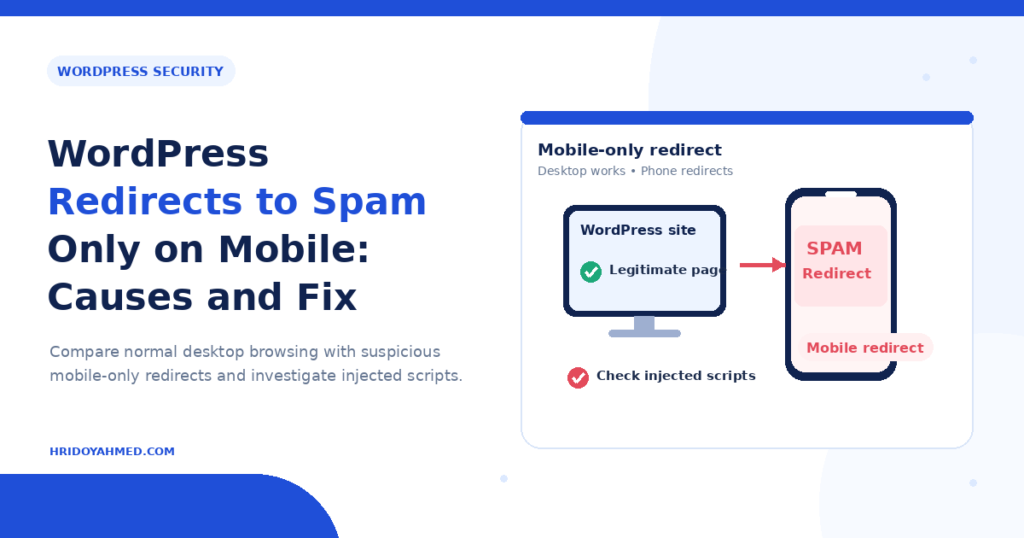
Short answer: If your WordPress site redirects to spam only on mobile, hackers most likely planted code that checks the visitor’s device and sends phone users away. The code usually hides in your theme files, your database, your .htaccess file or a third-party script. Stay calm, take a backup, scan your files and database, replace core and plugin files with clean copies, remove unknown code and reset every password.
In this guide
- Why the redirect shows only on mobile
- How to check it safely
- Common causes
- How to fix it
- How to stop it coming back
- FAQ
Why the redirect shows only on mobile
Attackers want their spam to stay hidden. They write code that reacts only to certain visitors, for example phone users, people who arrive from Google or people who are not logged in. You open your site on a desktop, everything looks fine and you think the problem is gone. Your customers on phones see casino, pharma or fake-prize pages.
The same trick explains why the problem may appear and disappear. Some malware also redirects only on the first visit, so a second visit looks normal.
How to check it safely
- Test on a real phone. Use mobile data, not your home Wi-Fi, and open the site in a private tab. Do not log in to WordPress first. Some malware hides from logged-in admins.
- Test from Google. Search for your site on your phone and tap the result. Some code redirects only visitors who come from a search engine.
- Check Google Search Console. Open the Security issues report and the Manual actions report. A warning confirms the hack.
- Ask a friend in another place. Different devices and networks sometimes show different results.
Browser developer tools can imitate a phone screen. They do not always imitate a real phone, so treat a clean result there as “not proven”.
Common causes
Injected code in theme files
Attackers add a small script to header.php, footer.php or functions.php. The script checks the device and then redirects.
Malicious rules in .htaccess
A hacked .htaccess file can redirect by device type or referrer before WordPress even loads. Check the .htaccess in your site root and in subfolders.
Malware in the database
Scripts can sit inside posts, widgets or options. Read my guide on malware in the WordPress database.
A hacked or outdated plugin or theme
Old plugins and pirated (“nulled”) themes often carry hidden code. A plugin with a known weakness lets attackers upload files.
A third-party script
An ad network, a tag manager or a free widget can start sending mobile visitors to spam. Check every external script your site loads.
Fake admin users and backdoors
If attackers keep a backdoor, they put the redirect back after every cleanup. See my guide to WordPress backdoors.
How to fix it
- Back up your site first. Save the files and the database, even though they are infected. You may need them as evidence.
- Update everything. Update WordPress, plugins and themes. Delete plugins and themes you do not use.
- Verify core and plugin files. With WP-CLI, run
wp core verify-checksumsandwp plugin verify-checksums --all. Both commands compare your files with the official copies and list files that differ. - Replace infected files. Reinstall WordPress core files and every plugin from the official source. Do not touch wp-config.php and wp-content/uploads until you check them by hand.
- Inspect theme files. Compare your theme with a clean copy. Look for unfamiliar JavaScript, long encoded strings and code that mentions “mobile”, “android” or “user agent”.
- Review .htaccess. Replace it with the default WordPress rules, then add back only the rules you know.
- Clean the database. Search for unexpected script tags and iframes in posts and options. Remove them with care.
- Check users. Delete administrators you do not recognize.
- Reset all passwords and keys. Change WordPress, hosting, FTP, SSH and database passwords. Generate new security salts in wp-config.php.
- Clear every cache. Purge your caching plugin, server cache and CDN, then test on a phone again.
If the redirect returns, a backdoor remains. Stop and get a full file review, for example through my WordPress malware removal service.
How to stop it coming back
- Keep WordPress, plugins and themes updated.
- Never use nulled themes or plugins.
- Use strong, unique passwords and turn on two-factor authentication.
- Keep offsite backups and test a restore.
- Follow my WordPress security checklist.
FAQ
Why does my site redirect to spam only on phones?
Malicious code checks the visitor’s device and sends only mobile users away, so the owner on a desktop does not notice.
Can a plugin cause a mobile-only redirect?
Yes. A hacked, outdated or pirated plugin can carry redirect code. A legitimate ad or pop-up plugin can also misbehave, so check settings and external scripts.
Will deleting the redirect code fix the hack?
Not always. The code often returns if a backdoor or a vulnerable plugin stays. Find and remove the entry point too.
Does this hurt my SEO?
It can. Google may show a hacked-site warning and may flag your pages in Search Console. Clean the site, then request a review.
Should I restore a backup?
A clean backup from before the infection helps, but the hole that let attackers in stays open. Update everything and change all passwords afterwards.
Do not want to hunt the code yourself? I clean files and databases by hand and close the entry point. See my WordPress malware removal service.
About the author: Hridoy Ahmed is an SEO specialist and WordPress security expert based in Dhaka, Bangladesh. He has 8+ years of experience and works with clients worldwide.