
By Hridoy Ahmed | Last updated: October 26, 2026 | 8 min read
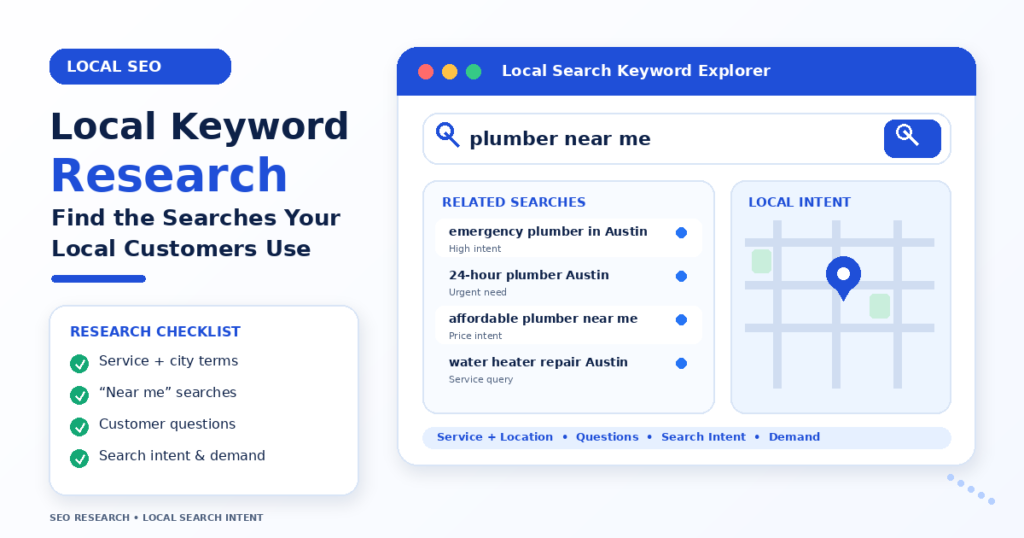
Short answer: Local keyword research is finding the words people use when they look for a service in a specific place, such as “emergency plumber in Austin” or “dentist near Gulshan”. You build the list from your services plus locations, check it with Google autocomplete, Google Business Profile data and Search Console, and then look at the local results to see what Google shows. Then you give each main keyword to one page.
In this guide
- What local keyword research is
- Local keyword patterns
- How to do local keyword research in 7 steps
- What about “near me” keywords?
- Common mistakes
- FAQ
What local keyword research is
Normal keyword research asks what people search for. Local keyword research asks what people search for in a place. The place can be a city, a neighbourhood, a district or a landmark. Google also treats some searches as local even when no place is typed, because it uses the searcher’s location.
Local searches often show a map with three business results, followed by normal results. Your keywords should help you appear in both. For the basic method, see my guide on how to do keyword research.
Local keyword patterns
| Pattern | Example | Use it for |
|---|---|---|
| Service + city | electrician in Leeds | Main service page or location page |
| Service + neighbourhood | dentist in Gulshan | Location page or a service-area section |
| Problem + city | burst pipe repair Dallas | Service page for urgent needs |
| Best + service + place | best bakery in Brooklyn | Comparison-style intent, reviews and profile |
| Service + “near me” | coffee shop near me | Google Business Profile and local pages |
| Question + place | how much does a roof repair cost in Denver | Blog post or FAQ |
How to do local keyword research in 7 steps
- List your services and places. Write every service you offer and every city, area or neighbourhood you serve. Include the names customers really use.
- Combine them. Make a first list of “service + place” pairs. Do not build pages for places you do not serve.
- Check Google autocomplete. Type each pair and note the suggestions. Check “People also ask” and related searches too.
- Use your own data. In Google Business Profile, the performance section shows the searches that led people to your listing. In Google Search Console, the Queries report shows searches that already show your pages.
- Check volume and difficulty. Google Keyword Planner and paid tools can show estimates. For small places the numbers are often low or missing. Do not drop a keyword only because the tool shows zero.
- Look at the local results. Search the keyword and see if a map pack appears, and which businesses and pages rank. See my guide on SERP analysis. Check the categories and services competitors list on their Google profiles.
- Map each keyword to one page. Use one main keyword for each service page or location page. Support them with a few nearby phrases. If you have more than one place, see my guide on multi-location SEO.
If you want an expert to build the local keyword map for your business, see my Local SEO service.
What about “near me” keywords?
People search “near me” when they want something close. Google decides what is near by using the searcher’s location, so you cannot target a place by typing “near me” on your page. Do not stuff the phrase into your text. A better approach is to keep your address, service area, opening hours and categories correct, and to build a strong profile and local reviews. See how to optimize your Google Business Profile.
Common mistakes
- Targeting too wide a place. A tiny shop will not beat big brands for a whole state. Start with your city and area.
- Adding places you do not serve. It confuses visitors and can mislead Google.
- Ignoring zero-volume keywords. Tools often miss small local searches.
- Making many near-identical pages. Pages that only swap the city name can look like spam.
- Skipping the local results check. The map pack changes what you need to do.
FAQ
What is local keyword research?
It is finding the words and phrases people use to look for a service in a specific area, then matching them to your pages and profile.
Do I need a paid tool?
No. Google autocomplete, Google Business Profile data and Search Console are free. Paid tools help with bigger lists.
Should I put the city name in every title?
Use it where it fits the page, such as a service page or a location page. Avoid repeating it on every page without a reason.
How many local keywords should one page target?
One main keyword and a few close variations. Keep the page focused.
Can I rank in a city where I have no office?
It is harder. Google ties map results closely to real locations. For organic results, a useful page can still help, but I cannot promise a ranking.
Want local keywords that bring real customers? I build the list from your services, your area and the local results. See my Local SEO service.
About the author: Hridoy Ahmed is an SEO specialist and WordPress security expert based in Dhaka, Bangladesh. He has 8+ years of experience and works with clients worldwide.