
By Hridoy Ahmed | Last updated: October 2026 | 8 min read
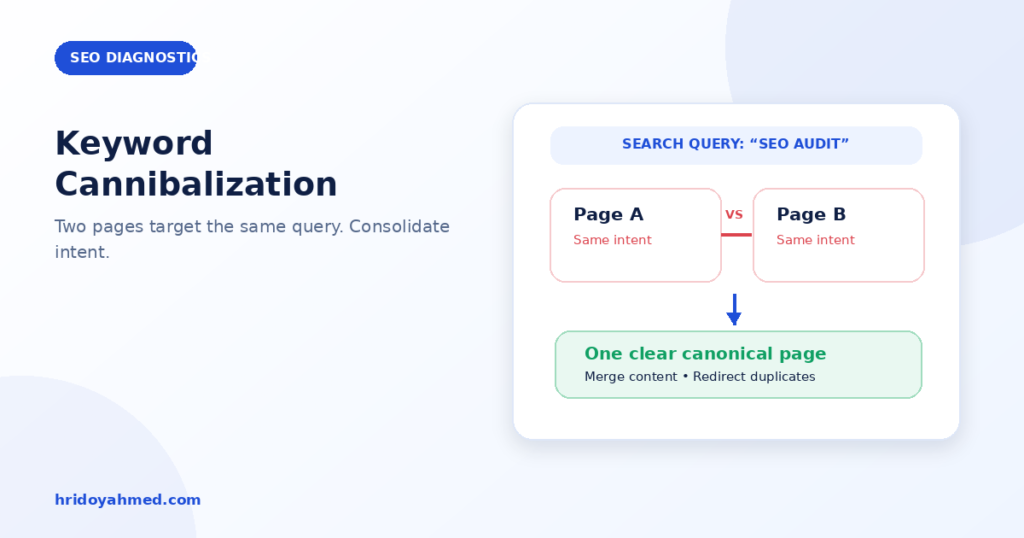
Short answer: Keyword cannibalization is when two or more pages on your site target the same search intent, so they compete with each other. Google’s John Mueller has said that several pages showing for one query is not automatically a problem. The real problem is duplicate pages that add nothing new. To fix it, find the pages in Search Console, decide which one should win, then merge, redirect or differentiate the others.
In this guide
- What it is, and what it is not
- How to find it
- When it is a real problem
- How to fix it
- How to prevent it
- FAQ
What it is, and what it is not
Cannibalization is a community term, not a Google penalty. It describes pages on one site that answer the same question for the same intent. They split links, clicks and attention, and Google may pick the wrong page to show.
It is not the same as two pages using the same word. A guide and a service page can both mention “malware removal” and serve different intents. That is fine. See search intent in SEO.
Search Engine Journal reported Mueller’s comments in 2025. He said that three pages appearing in the same search result does not seem problematic just because there are several. He also affirmed that reducing unnecessary duplication is still worthwhile. So treat cannibalization as a quality and clarity check, not as a reason to panic.
How to find it
- Open the Performance report in Google Search Console.
- Click “Add filter”, choose Query, and enter the phrase you are worried about.
- Open the Pages tab. You will see every URL on your site that appeared for that query.
- Check the clicks, impressions and average position for each URL, over a few weeks.
- Search the phrase in Google, and read the pages. Do they answer the same question for the same reader?
Also check for the usual causes on WordPress: two blog posts on the same topic, an old post and a rewritten one, category or tag archives that target the same phrase, and a service page and a blog post written with the same intent.
When it is a real problem
It deserves action when:
- Two or more pages give the same answer to the same intent
- The page you want to rank is not the one Google shows
- The ranking pages keep swapping positions for the same query
- Links and anchor text are split across near-duplicate pages
- Neither page is strong, and both stay low
It is usually fine when:
- The pages serve different intents, such as a guide and a service page
- Both pages rank well and bring clicks
- The pages cover different parts of a topic
How to fix it
- Pick the winner. Choose the page with the best content, links and fit for the intent.
- Merge when the pages overlap. Move the useful parts of the weaker page into the winner. Then redirect the weaker URL to the winner with a 301 redirect.
- Differentiate when both are needed. Change the focus of one page so it serves a different intent. Rewrite its title, headings and opening answer.
- Fix the internal links. Point your links, with clear anchor text, to the page that should win. See internal linking for topic clusters.
- Use canonical tags only for true duplicates. A canonical tag is a hint about duplicate or near-duplicate pages. It is not a way to hide two different guides.
- Handle archives. If a category or tag archive competes with a page you built on purpose, change its title and description, or set it to noindex if it adds no value.
- Update the sheet. Record the primary keyword and intent for each page, so the conflict does not return.
If you want an expert to find and fix overlaps across your whole site, see my SEO and technical SEO service.
How to prevent it
- Keep one sheet with page, primary keyword, intent and publish date.
- Check the sheet before you write a new post.
- Write a brief for each page. See how to plan an SEO content brief.
- When you rewrite an old post, update it instead of publishing a new copy.
- Plan the whole structure with a topical map.
Common mistakes
- Merging pages that serve different intents
- Deleting a page without a redirect
- Using noindex or canonical to hide a problem instead of fixing it
- Treating every shared keyword as cannibalization
- Checking only one day of Search Console data
- Making a big change without noting the date, so you cannot read the result
FAQ
Does keyword cannibalization cause a Google penalty?
No. It is not a penalty. It is a clarity problem that can make results weaker.
Is it bad if two of my pages rank for one keyword?
Not by itself. If both pages are useful and serve different needs, that can be a good sign. Act when they are near-duplicates.
Should I delete the weaker page?
Only if it has nothing useful. Usually, merge the best parts into the stronger page and redirect the old URL.
Can I use a canonical tag to fix it?
Only for true duplicates. For two different guides, merge or differentiate them.
Not sure which of your pages compete? I audit your site and give you a clear merge, keep and fix list. See my SEO and technical SEO service.
About the author: Hridoy Ahmed is an SEO specialist and WordPress security expert based in Dhaka, Bangladesh. He has 8+ years of experience and works with clients worldwide.