
By Hridoy Ahmed | Last updated: October 2026 | 6 min read
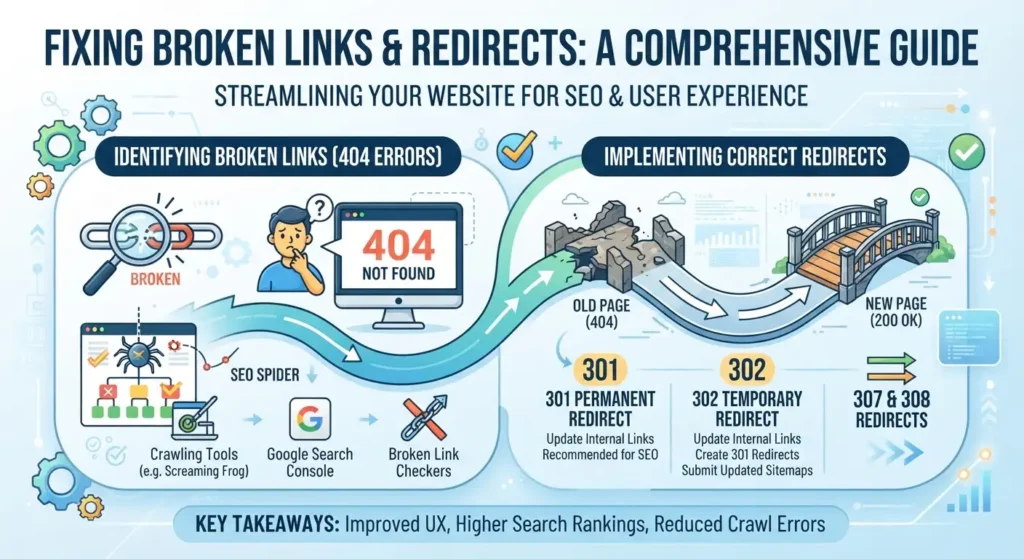
Short answer: A broken link points to a page that no longer exists and returns a 404 error. To fix them, crawl your site to find them, then either update the link, restore the page or 301 redirect the old URL to the closest matching page. Fix internal broken links first, because you control them.
In this guide: 1. Why broken links matter | 2. How to find them | 3. How to fix them | 4. Prevent new ones | Common mistakes | FAQ
1. Why broken links matter
Broken links send visitors to a dead end, which is a poor experience. They also waste crawl effort on pages that do not exist. A few 404s are normal and do not hurt a site on their own. The problem is important pages that used to work, or links on your own pages pointing to nothing.
2. How to find broken links
- Crawl your site with an SEO crawler and filter for 404 status codes.
- Google Search Console: check the Pages report for “Not found (404)” URLs.
- Check external links on important pages. Other sites move or delete pages too.
- Look at pages you changed lately, such as after a redesign, a slug change or a migration.
3. How to fix them
- Decide if the page should exist. If it was removed by mistake, restore it.
- Update the link if it was a typo or points to the old URL. This is the best fix for internal links.
- Use a 301 redirect if the page moved. Send the old URL to the closest matching page, not to the home page.
- Remove the link if there is no good replacement.
- Let it return 404 or 410 if the page is gone for good and nothing similar exists.
After fixing redirects, check for chains and loops. My guide on how to check redirects shows how.
4. Prevent new broken links
- Set up a 301 redirect whenever you change a URL.
- Crawl your site after a redesign or migration.
- Review key pages for outdated external links every few months.
- Use a clear URL structure so you do not need to change URLs often.
If your site has many broken links or redirect problems, see my technical SEO service.
Common mistakes
- Redirecting every 404 to the home page
- Leaving long redirect chains
- Fixing external links before internal ones
- Changing slugs without a redirect
FAQ
Do broken links hurt SEO?
A few do not. Many broken links on important pages create a poor experience and can waste crawling, so they are worth fixing.
Should I redirect all 404 pages?
No. Redirect only pages that have a close replacement. If a page is gone and has no match, a 404 or 410 is fine.
How often should I check for broken links?
Once a month for an active site, and after any redesign, migration or URL change.
What is the difference between a 301 and a 302?
A 301 means the move is permanent. A 302 means it is temporary. Use 301 for broken pages that moved for good.
Want it cleaned up for you? I find broken links and redirect problems and fix them. See my technical SEO services.
About the author: Hridoy Ahmed is an SEO specialist and WordPress security expert based in Dhaka, Bangladesh. He has 8+ years of experience and works with clients worldwide.