
By Hridoy Ahmed | Last updated: October 2026 | 5 min read
Short answer: Core Web Vitals are Google’s measures of real-world page experience: loading (LCP), responsiveness (INP) and visual stability (CLS). You can check them in Google Search Console and PageSpeed Insights. Field data from real users matters more than a single lab score. A good score helps users, but it is only one of many signals Google uses.
In this guide: 1. The three metrics | 2. Good scores | 3. Field data vs lab data | 4. How to check | 5. What to do next | FAQ
1. The three metrics
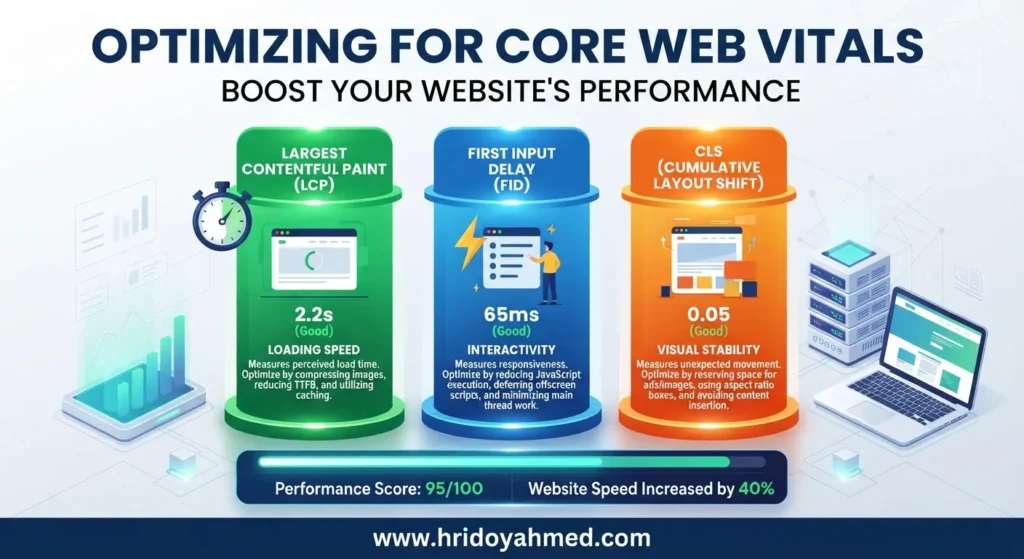
- LCP (Largest Contentful Paint): how long the main content takes to appear.
- INP (Interaction to Next Paint): how quickly the page responds when someone taps, clicks or types.
- CLS (Cumulative Layout Shift): how much the layout jumps while the page loads.
Core Web Vitals definitions in plain words
What are the types of Core Web Vitals? There are three: LCP (loading), INP (responsiveness) and CLS (visual stability). Each one measures a different part of how a page feels to a real visitor.
What is CLS in Core Web Vitals? CLS, or Cumulative Layout Shift, measures how much visible content moves around unexpectedly while a page loads. If a button jumps just as you tap it, that is a layout shift. A lower CLS score is better, and Google’s “good” threshold is 0.1 or less. Common causes are images without set width and height, late-loading ads or embeds, and banners that push content down.
What is LCP? LCP, or Largest Contentful Paint, is the time it takes for the largest image or block of text in the first screen to appear. “Good” is 2.5 seconds or less.
What is INP? INP, or Interaction to Next Paint, measures how quickly the page reacts after a tap, click or key press. It replaced First Input Delay (FID) as a Core Web Vital in March 2024. “Good” is 200 milliseconds or less.
2. What counts as good
Google’s published “good” thresholds are: LCP of 2.5 seconds or less, INP of 200 milliseconds or less and CLS of 0.1 or less. Google measures these at the 75th percentile of real visits, split by mobile and desktop. Check Google’s documentation for the latest values, because thresholds can change.
3. Field data vs lab data
Field data comes from real users and is what Search Console reports. Lab data comes from a test run on one device and connection, such as the Lighthouse score. Lab data is useful to debug problems. Field data shows what visitors actually feel. A perfect lab score does not mean your field data passes.
4. How to check your Core Web Vitals
- Open the Core Web Vitals report in Google Search Console to see groups of URLs that need work.
- Run a key page through PageSpeed Insights and read the field data section first.
- Use the lab diagnostics to find what delays the page, such as large images or heavy scripts.
- Test your most important pages on mobile.
Small sites may not have enough traffic for field data. In that case, rely on lab data and fix the clear issues.
5. What to do next
For fixes for each metric, read my guide on how to improve LCP, INP and CLS on WordPress. If you want an expert to do it, see my WordPress speed optimization service.
FAQ
Are Core Web Vitals a ranking factor?
Google has said they are part of its page experience signals. They are one signal among many, and great content still matters most.
Do I need a perfect score of 100?
No. Aim for passing the “good” thresholds on real user data. A score of 100 is not required.
Why does my score change every time?
Lab tests vary with server load, network and device. Compare trends over time, not single runs.
Why does Search Console show no data?
Your site may not have enough real-user traffic for Google to report on.
Need help with a slow site? I test your pages, fix the main causes and report what changed. See my speed and performance optimization service.
About the author: Hridoy Ahmed is an SEO specialist and WordPress security expert based in Dhaka, Bangladesh. He has 8+ years of experience and works with clients worldwide.
Ready to fix a failing score? Follow my guide to improving Core Web Vitals on WordPress. This page explains what the metrics mean and how to check them.