
By Hridoy Ahmed | Last updated: October 2026 | 8 min read
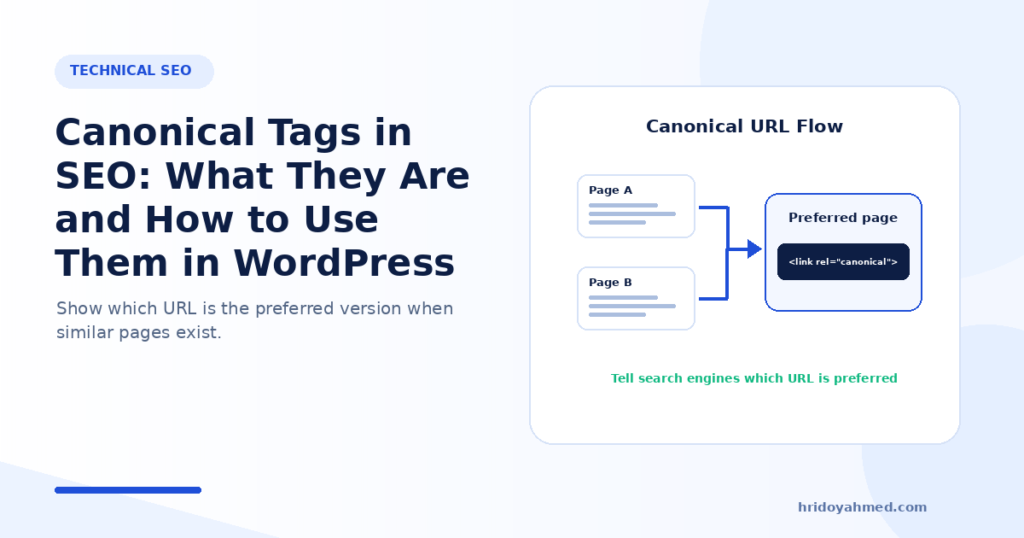
Short answer: A canonical tag tells search engines which URL is the preferred version when the same or very similar content is available at more than one URL. It is a hint, not a command. Google may choose a different canonical if it sees stronger signals. Use it to consolidate duplicate URLs, and use a 301 redirect when a duplicate URL should not exist at all.
In this guide
- What a canonical tag is
- Why you need one
- How to add one
- Canonical tags in WordPress
- Best practices
- How to check which canonical Google chose
- FAQ
What a canonical tag is
The same page can be reached through many URLs. For example, with http and https, with and without www, with tracking parameters, or through sorting and filter links. To a search engine, these can look like separate pages with the same content.
A canonical tag names the version you prefer. Google’s documentation says that if you do not specify one, Google will identify which version it thinks is best to show to users. So the tag is a signal that helps Google choose, not a guarantee.
Why you need one
- To consolidate signals. Links and other signals to duplicate URLs can be combined into one preferred URL.
- To control which URL shows in results. You can nudge Google to show the clean, preferred URL.
- To reduce duplicate crawling. Fewer duplicate URLs means less wasted attention.
- To keep reporting clean. Your data is not split across several URLs.
How to add one
The most common method is a link element in the head of the duplicate page. It points to the preferred page.
<!-- Canonical tag | Reference: hridoyahmed.com -->
<link rel="canonical" href="https://example.com/preferred-page/" />
Google lists other methods too: an HTTP header (useful for files such as PDFs), listing canonical URLs in your sitemap, and 301 redirects. Use one method per page, and make sure the signals agree. Google also says not to specify different canonical URLs for the same page using different methods.
Canonical tags in WordPress
WordPress and most SEO plugins add a self-referencing canonical tag to normal pages, which means the page names itself as the preferred version. That is normal. With Rank Math you can set a custom canonical in the Advanced tab of a post, but only do this when you have a good reason, such as a true duplicate.
Check these WordPress cases:
- Tracking parameters: pages with ?utm_ parameters should point to the clean URL.
- Category, tag and date archives: decide if they add value. If not, consider noindex rather than a canonical to another page.
- Pagination: a paginated page is not a duplicate of page one. Do not point every page to page one.
- Shop filters and sorting: filtered URLs can create many near-duplicates. Set a clear rule for these.
- http, https, www and non-www: pick one and use 301 redirects for the others.
Best practices
- Use absolute URLs, including https.
- Point to one clean URL, not to a redirect or an error page.
- Prefer HTTPS for canonical URLs, as Google recommends.
- Do not use a URL fragment (the part after #) as canonical.
- Link to the canonical URL from your own pages and keep it in your sitemap.
- Do not use canonical on unrelated pages to pass authority. Use it for true duplicates or very similar pages.
- Do not combine contradicting signals, such as a canonical to page A with a noindex, or a sitemap listing page B.
- Use a 301 redirect when the duplicate should disappear. A redirect is a stronger signal than a canonical. See keyword cannibalization for when to merge pages.
If you want an expert to check canonicals across your site, see my SEO and technical SEO service.
How to check which canonical Google chose
- Open Google Search Console and paste the page URL into the URL Inspection bar.
- Open the page indexing details.
- Compare the user-declared canonical (what your page says) with the Google-selected canonical.
If they differ, Google disagrees with your hint. Check that the pages are truly duplicates, that your internal links and sitemap agree, and that the preferred page is the stronger one. For the basics of Search Console, see my Google Search Console guide.
Common mistakes
- Pointing a canonical to a URL that redirects or returns an error
- Pointing every paginated page to page one
- Using canonical to hide two different guides instead of merging them
- Changing the canonical with JavaScript after the page loads
- Mixing signals: canonical, noindex and sitemap that disagree
- Believing the canonical tag forces Google’s choice
FAQ
Is a canonical tag the same as a 301 redirect?
No. A canonical is a hint, and both URLs stay accessible. A 301 redirect sends users and search engines to a new URL, and is a stronger signal.
Should every page have a canonical tag?
A self-referencing canonical on every indexable page is common and fine. Most SEO plugins add it for you.
Can I use canonical across different domains?
Yes, for syndicated or republished content, but Google may still choose another version. Use it carefully.
Does canonical fix duplicate content penalties?
Duplicate content is usually not a penalty. Canonical helps Google choose the right version and combine signals.
Not sure your canonicals are right? I audit them with Search Console and fix conflicts. See my SEO and technical SEO service.
About the author: Hridoy Ahmed is an SEO specialist and WordPress security expert based in Dhaka, Bangladesh. He has 8+ years of experience and works with clients worldwide.