
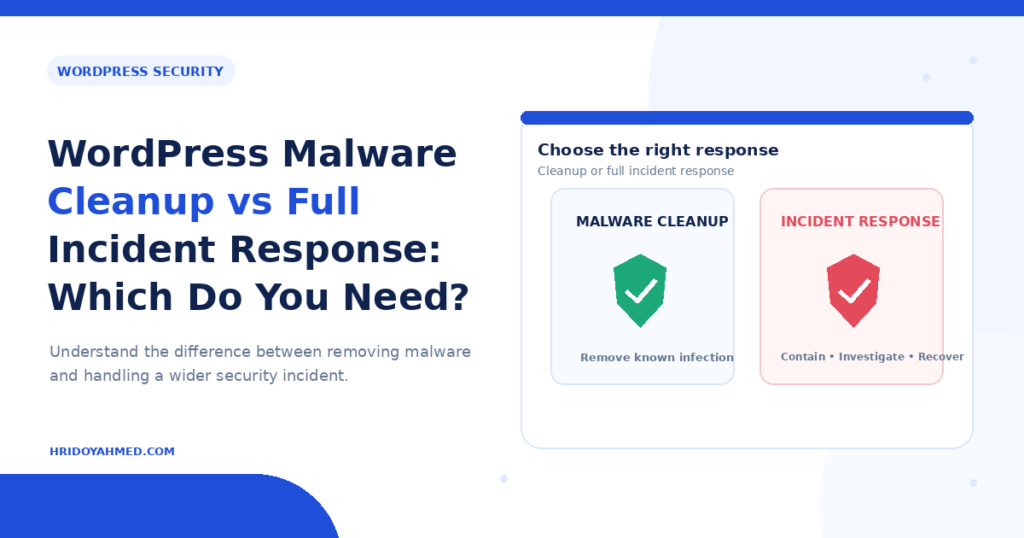
A malware cleanup removes the infected files and restores your site. A full incident response goes further: it finds how the attacker got in, checks what else was touched, resets access and monitors for a return. A simple cleanup is often enough for a small site with one clear infection. You need incident response when the hack looks deeper, keeps coming back, or may involve customer data.
Cleanup vs incident response at a glance
| Malware cleanup | Full incident response | |
|---|---|---|
| Main goal | Remove malware and get the site working again | Remove malware, find the cause, and prevent a repeat |
| Scope | One site: files, database, visible damage | The site, the hosting account, other sites on it, users, and logs |
| Entry point | Fixed if it is obvious | Investigated and documented |
| Access reset | Admin passwords and keys | All accounts: WordPress, hosting, FTP, database, email, API keys |
| Aftercare | Basic hardening | Monitoring period and a written summary of what happened |
When a malware cleanup is usually enough
- You found one clear problem, such as spam pages or a redirect, and it was caught early.
- The site is a brochure or blog and holds no customer accounts or payment data.
- You have a clean, recent backup and know which plugin or theme was outdated.
- Nothing else on your hosting account is affected.
Even then, a cleanup should include more than deleting a few files. Check for hidden backdoors and unknown admin users, update everything and change all passwords. My guide on how to fix a hacked WordPress site shows the safe order.
Signs you need full incident response
- The infection returns after cleaning. A backdoor or a compromised account is likely still there.
- Unknown admin users appeared, or you cannot explain a login.
- Several sites on one hosting account show problems.
- It is a store or membership site with customer data, orders or payment pages.
- The hack went unnoticed for weeks, so you do not know what changed.
- Google or your host has flagged the site, for example with a Safe Browsing warning.
If customer data may have been exposed, you may have legal or contractual duties to notify people. These differ by country and industry, so speak to a qualified professional about that part.
What good incident response includes
- Contain and preserve: take a full backup of the infected state before you change anything, so evidence is not lost.
- Find the scope: check files, the database, users, scheduled tasks and other sites on the same account.
- Find the cause: look at logs, outdated plugins and weak or leaked credentials.
- Clean and restore: remove malware and backdoors, or restore from a known clean backup.
- Reset all access: passwords, salts, API keys, hosting and database credentials.
- Harden and monitor: updates, firewall, 2FA, file-change alerts, and a review after a few weeks.
- Report: a short written summary of what happened and what changed.
No provider can promise a site will never be hacked again. Good work lowers the risk and makes a repeat easier to spot.
How to choose
Ask yourself three questions. Is customer data involved? Has it happened before? Do I know how they got in? If the answer is yes, yes, no, treat it as an incident, not a quick cleanup. If you are unsure, start with an assessment before agreeing to a fixed cleanup. If you want expert help, see my WordPress security and malware removal service.
Frequently asked questions
Is a plugin scan the same as a malware cleanup?
No. A scan finds known threats. A cleanup also checks for backdoors, bad users and the database, and fixes the cause.
Can I restore a backup instead of cleaning?
Sometimes. It works only if the backup is from before the infection and you also fix the entry point and reset all access. Otherwise the site can be hacked again.
How long does incident response take?
It depends on the size of the site, the number of sites affected and how much evidence there is. Ask for an estimate after the first assessment, not before.
What access does a provider need?
Usually WordPress admin access, hosting or file access, and any logs your host can share. Give only what is needed and change the passwords afterwards.
Need help with a hacked site?
If your site is infected and you are not sure whether it is a simple cleanup or something deeper, I can look at it with you. See my WordPress security and malware removal service or message me through the contact page.
Related guides: How to know if your WordPress site is hacked and WordPress security checklist.