
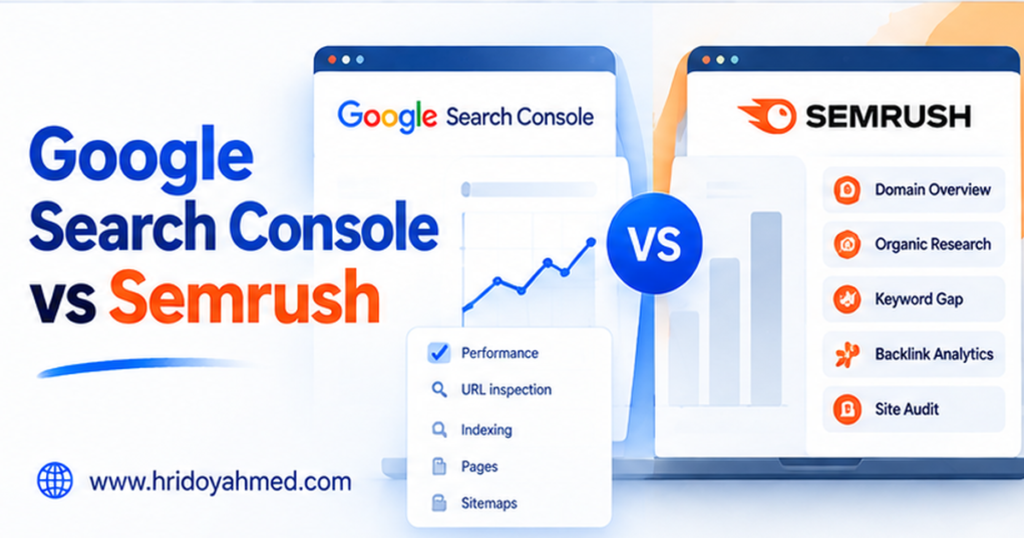
Google Search Console and Semrush do different jobs. Google Search Console is Google’s free service for monitoring how your verified website appears in Google Search, including clicks, impressions, queries, and indexing reports. Semrush is a broader SEO platform for keyword research, competitor analysis, rank tracking, backlink research, and site audits. Many businesses can start with Search Console and add Semrush when they need research data or workflows that Search Console does not provide.
If you want to understand your own site’s Google Search performance, start with Search Console. If you need to research competing websites and manage wider SEO work, evaluate Semrush against your budget and requirements.
Google Search Console vs Semrush: at a glance
| Question | Google Search Console | Semrush |
|---|---|---|
| Primary purpose | Monitor your Google Search presence | SEO research and optimization workflows |
| Cost | Free | Limited free access may be available; paid plans |
| Your site’s clicks and impressions | Yes, for verified properties | Can connect to external sources but is not a replacement for first-party Search Console reports |
| Competitor keyword research | No full competitor research suite | Yes, with third-party estimates and databases |
| Rank tracking | Average position for your site’s results over time | Dedicated tracking workflows, subject to plan limits |
| Technical checks | Indexing and search diagnostics | Crawl-based site audit with categorized issues |
| Backlinks | Links Google reports for your site, subject to limits | Broader backlink database and research tools |
| Best fit | Every site owner starting with Google data | Teams needing research and recurring SEO workflows |
What Google Search Console does well
Google Search Console is a first-party Google service. Its Performance report includes search queries, clicks, impressions, click-through rate, and average position. It also helps site owners investigate crawling and indexing problems.
- Find queries already bringing people to your site.
- Identify pages receiving impressions but few clicks.
- Review indexing reports and inspect important URLs.
- Submit and check a sitemap.
- Understand Google Search performance over time.
- Review links Google reports for your website.
Example: A local plumbing company sees impressions for “emergency plumber near me” but few clicks. Search Console can reveal the query and page. The owner can review the results, improve the title and page answer, then measure performance later.
What Search Console does not do
It is not designed to provide a full competitor keyword database, broad competitor traffic estimates, or all the dedicated tracking and campaign-management workflows of a paid platform. It also cannot guarantee indexing or a particular rank.
What Semrush does well
Semrush provides broader workflows for keyword research, competitor analysis, position tracking, backlink research, and site audits. Available features and limits depend on the plan, so check the official pricing page.
- Explore keyword opportunities and compare competing domains.
- Estimate which topics competitors may be visible for.
- Track selected keywords.
- Research backlinks and link opportunities.
- Crawl a website and group technical issues.
- Organize SEO work across multiple sites or clients.
Example: An online store wants to expand a product category. Semrush can help generate ideas and research competing domains. The store should validate those ideas against its products, customers, search intent, and first-party data.
Limits of third-party data
Third-party keyword volumes, competitor traffic, rankings, and backlink databases are estimates or collected from external data sources. They are useful for comparison, but they are not competitors’ private analytics. A tool cannot promise that publishing a page will produce a specific ranking.
Is Semrush worth paying for?
It may be worthwhile if you use its research and tracking features often enough to improve decisions. It may not be worth the cost if you have one small website and mainly need to monitor your own Google Search performance.
Before subscribing, list the three tasks you need it to perform—perhaps competitor research, tracking a defined keyword set, and monthly audits. Check that the plan includes those features, the relevant project and keyword limits, reporting access, and billing terms. Prices and promotions change, so use the current official pricing page rather than an old quote.
Can you use Search Console and Semrush together?
Yes. Their data and purposes complement each other. Follow this workflow:
- Use Semrush for discovery: research keywords, competing pages, and potential topics.
- Validate intent: review actual search results and confirm the topic fits your customers.
- Publish or improve the page: answer the question clearly and provide a useful next step.
- Use Search Console to measure your site’s Google Search performance: review queries, impressions, clicks, and page trends over time.
- Use a crawler if needed: investigate internal links, redirects, missing metadata, and other crawl-based issues.
A Semrush estimate is a research lead, not proof that a keyword will bring customers. Search Console can later show whether your own page is earning impressions and clicks.
Which should you choose?
Choose Google Search Console if
- You want to monitor your own website in Google Search.
- You need a free starting point.
- You are troubleshooting indexing or reviewing search queries.
- You do not need a broad competitor database.
Consider Semrush if
- You regularly research competitors and keywords.
- You need dedicated rank tracking.
- You manage several websites or client projects.
- You can act on the extra data and justify the recurring cost.
Consider both if
You want first-party Google Search performance and broader third-party research in one workflow. Use each source for the questions it is best equipped to answer.
Frequently asked questions
Is Google Search Console better than Semrush?
Neither is universally better. Search Console is better for first-party Google Search performance and indexing for your own verified site. Semrush is broader for competitor research, keyword discovery, and dedicated SEO workflows.
Is Google Search Console free?
Yes. Google describes Search Console as a free service. You need to establish access to the website property you want to monitor.
Can Semrush show exact competitor traffic?
No third-party SEO platform should be treated as having exact access to a competitor’s private analytics. Traffic figures are estimates, best used to compare trends or investigate opportunities.
Does Search Console show keyword rankings?
It reports average position for your site’s results over a selected period. This is not a fixed universal rank because results vary by query, location, device, and time.
Should a beginner pay for Semrush?
Usually, start with Search Console and other free tools. Consider a paid plan when a clear research or reporting need exceeds free tools’ capabilities.
Can I use Semrush without Search Console?
Many Semrush research features work without connecting Search Console, but first-party data can add context where supported. You should still set up Search Console for your own site.
Final verdict
Set up Google Search Console first. It is free and helps you understand real Google Search performance for your website. Add Semrush when competitor research, broader keyword discovery, rank tracking, or recurring audits justify the cost. For more detail, read our Google Search Console setup guide and overview of underrated SEO tools. If you are on a small budget, you can also see my list of the best SEO tools for small businesses.